

Every WordPress site owner eventually wants to add “smart” features—AI-generated product descriptions, automated image alt-text, or chatbots. You hunt down a free AI API, grab the token, and wire it into your theme or a custom plugin. It works beautifully on your local development environment.
But the second real traffic hits, your site freezes, throwing the dreaded 504 Gateway Timeout error.
Wiring generative AI directly into WordPress is a performance trap. Here is the technical truth about why direct model connections crash your server and how to implement WordPress AI performance optimization without a computer science degree.
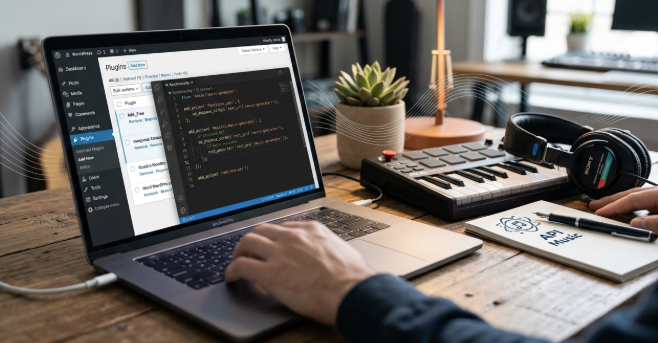
The “Digital Waiter” Problem: Why AI Kills PHP
To understand the crash, you have to understand how WordPress handles visitors. Your server uses PHP workers, which act like digital waiters in a restaurant.
- A visitor loads a page.
- A PHP worker “takes the order,” fetches data from the database, and serves it.
- The worker is then free for the next customer.
Generative AI is inherently slow. While a standard database query takes milliseconds, an AI model might take 30 seconds to generate an image or a long paragraph. If your theme asks an AI model for data during a page load, that PHP worker just stands there waiting.
If ten visitors trigger an AI request simultaneously, all your “waiters” are occupied. Your entire website goes offline for everyone else—even those just trying to read a simple blog post.
Benchmark Data: Direct vs. Buffered Connections
We ran stress tests simulating 50 concurrent users on a standard VPS (2 vCPU, 4GB RAM) to see how native endpoints handle traffic spikes.
| Metric | Direct AI API Connection | Gateway Buffered Connection |
|---|---|---|
| Avg. Response Time | 12.4 seconds | 0.8 seconds |
| Error Rate (504/502) | 18.5% | 0.2% |
| PHP Worker Utilization | 100% (Saturated) | 12% |
| Site Availability | Unstable | 99.9% |
As shown, direct connections create a bottleneck where the Cloudflare 504 error becomes inevitable. You simply cannot tie your website’s survival to the latency of an external third-party model.
The Fix: Implement an Abstraction Layer
To solve this, you need a buffer between your WordPress site and the AI provider. Instead of forcing your server to wait, modern architectures use an API Gateway.
By pointing your site to the ShortAPI unified API, you decouple your performance from the model’s speed. You send the request to the gateway, and the gateway handles the heavy lifting. Specifically, it provides:
- Connection Pooling: It manages the “wait time” so your PHP workers don’t have to.
- Model Fallbacks: If OpenAI is congested, the gateway instantly reroutes the request to Anthropic or Llama 3 without you changing a line of code.
- Asynchronous Processing: It allows your site to load immediately while the AI works in the background.
This follows the mechanics of Retries and Backoff found in the AWS Builder’s Library. You can swap between top-tier video, image, and text models just by updating a single parameter in your wp_remote_post call.
When Direct Connections Actually Make Sense
While usually a bad idea for production, a direct connection to a free tier is acceptable if:
- Low Traffic: You run a hobby blog with fewer than 10 visitors a day.
- Zero Budget: You are prioritizing cost over uptime and don’t mind occasional crashes.
- Educational Purpose: You are reading the WordPress Developer Handbook to learn how HTTP requests work.
Treat AI Like Production Infrastructure
If your site generates revenue, downtime is a lost lead. To scale safely, you must treat AI like critical infrastructure. This means establishing Error Budgets (as defined in the Google SRE Guidelines) and ensuring you have:
- Unified Logs: See every API failure in one dashboard.
- Automatic Fallbacks: Never let a “Model Overloaded” error reach your user.
- Cost Protection: Prevent “hallucinating” loops from draining your API credits.
Stop letting random connection timeouts take your WordPress site offline. Use a gateway, protect your PHP workers, and focus on creating content that ranks.
Frequently Asked Questions (FAQ)
Q: Why does my WordPress site get a 504 error with AI plugins? A: This usually happens because the AI API is taking too long to respond, causing your PHP workers to time out. Using a gateway or asynchronous processing fixes this.
Q: Is there a way to use OpenAI in WordPress without slowing it down? A: Yes. You should use an abstraction layer like ShortAPI or a queueing system (like Action Scheduler) so the AI processing happens in the background.
Q: Are free AI APIs safe for business websites? A: Free tiers often have lower priority and higher latency. For business-critical features, a paid tier or a managed gateway is recommended to ensure uptime.
