

If you are managing a growing stack of WordPress sites, there comes a point when simple update tracking is no longer enough. You want better automation, cleaner reporting, stronger monitoring, safer backups, and a workflow that does not slow your team down when clients start piling up. That is exactly why more site owners, freelancers, and agencies are searching for better ManageWP alternatives.
Table of Contents
Some tools focus on security, others on scale, and others aim to give you an all-in-one workspace for updates, backups, uptime, reporting, and client management. In this guide, you will find 10 ManageWP alternatives worth your attention, with a clear look at what each one actually does well, where it falls short, and which option makes the most sense if you want smoother website management without paying for a patchwork of add-ons.
How ManageWP Alternatives Improve Website Management and Security
Centralized visibility reduces maintenance blind spots
A robust multi-site dashboard gives you a single place to review updates, uptime, backups, and site health. That alone cuts down the time you spend jumping between WordPress admin panels.
Once you can see your full portfolio at a glance, recurring maintenance becomes easier to standardize. You spot lagging plugins, failing backups, or unusual downtime faster.
That kind of centralized view is now a core expectation, not a luxury. Most serious alternatives, including WP Managify, MainWP, Divi Dash, WP Umbrella, and Solid Central Pro, are built around exactly that model.
Better backups improve recovery readiness
Reliable backups make every other maintenance action less stressful. If you know you can restore quickly, you can move faster on plugin updates, cleanup work, or site changes.
The better platforms also make backup status easier to verify. That matters because a backup that silently fails is almost as bad as no backup at all.
You can see this shift in how alternatives talk about their backup systems. Verified backups, restore points, offsite storage, scheduled backups, and instant backups are used to improve site recovery reliability.
Monitoring turns reactive support into proactive care
When a tool watches uptime, SSL status, PHP issues, or response time, you can act before clients start emailing you. That changes the relationship from reactive firefighting to proactive maintenance.
This is one of the clearest ways a modern alternative improves day-to-day management. Monitoring gives you earlier warnings and sharper accountability.
WP Umbrella highlights SSL, domain, uptime, and PHP error monitoring, while WP Managify, InstaWP, Solid Central Pro, and WP Blazer stress uptime and performance oversight.
Safer updates reduce the chance of breaking live sites
Updates are necessary, but they are also one of the biggest causes of avoidable downtime. Better alternatives try to reduce that risk with staging, safe updates, tighter scheduling, or pre-update backup logic.
That is a major improvement over a workflow that only pushes updates in bulk and hopes for the best. Even small safeguards can save hours of repair work.
InfiniteWP includes staging-oriented update testing, WPMU DEV promotes safe updates, InstaWP is building toward safe updates in site management, and WP Managify includes staging and instant backups to create a more careful workflow.
Security features help you catch problems earlier
Security is not only about malware cleanup after a breach. It is also about monitoring vulnerabilities, scans, firewall controls, and hardening features that lower risk before damage spreads.
That makes security-aware alternatives more attractive for agencies. You cannot run maintenance plans seriously if security is treated as an afterthought.
WP Remote pushes malware scanning and firewall protection, WPMU DEV includes scans and hardening through Defender Pro, InstaWP offers a vulnerability scanner, and WP Managify includes security monitoring and scans across connected sites.
Reporting improves client trust and retention
Good reports are not just decoration. They help you show work completed, identify trends, and justify recurring maintenance fees.
That matters more when clients do not see all the work happening behind the scenes. A branded report can turn invisible maintenance into visible value.
This is why so many alternatives invest in white-label or automated reports. WP Managify, WPMU DEV, WP Umbrella, InstaWP, InfiniteWP, iControlWP, and WP Blazer all use reporting as a client-retention feature, not just an admin convenience.
Bulk controls save real operational time
Managing plugins, themes, users, comments, and updates one site at a time becomes a drag very quickly. Bulk controls compress repetitive tasks into a few clicks.
That is one reason alternatives feel faster in daily use. They are not merely offering a dashboard. They are offering scale.
MainWP, Divi Dash, CMS Commander, WP Blazer, and iControlWP all emphasize centralized or bulk actions that reduce admin repetition across many websites.
Integrated workflows make agencies easier to scale
The best alternatives improve more than security and maintenance. They help you standardize how your team handles site care, client communication, and internal oversight.
That matters because scale breaks messy workflows long before it breaks servers. Once your process is organized, growth feels less chaotic.
Tools like WP Managify, WPMU DEV, Divi Dash, and InstaWP move in that direction by combining updates, monitoring, client-facing functions, and centralized site handling in one environment.
12 ManageWP alternatives For Effective Website Management
The best ManageWP alternatives do more than replicate one-click updates. They help you run a cleaner maintenance workflow, reduce manual admin work, keep backups and monitoring visible, and give you more control when your site portfolio starts growing.
If you manage client websites, ecommerce stores, membership sites, or a mix of WordPress projects, the right platform can save hours every week. The tools below all take a different path, but WP Managify stands out if you want a more complete mix of bundled monitoring, backups, reporting, activity tracking, and agency-friendly oversight without making the workflow feel fragmented.
1. WP Managify
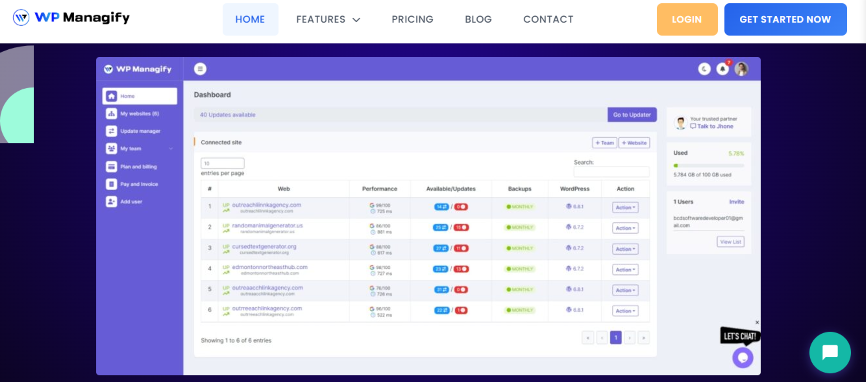
WP Managify is the strongest option here if you want a clean, all-in-one control panel that feels built for real maintenance work instead of feature hunting. It combines one-minute uptime checks, scheduled and instant backups, white-label reporting, security monitoring, activity logs, staging, and one-click login in a way that suits agencies, freelancers, and teams managing multiple client sites. Its pricing also starts with a generous website allowance, making it easier to scale without incurring per-site fees right away.
You get centralized control over updates, backups, uptime, and security from one dashboard. That makes routine site care easier to standardize across a client portfolio. It also means fewer moving parts when your team grows.
The uptime monitoring is especially attractive for proactive maintenance. WP Managify says it checks sites every minute and supports instant alerts, which help you react before downtime becomes a client issue. That kind of visibility is hard to ignore when you manage revenue-generating sites.
Reporting is another strong point. White-label and scheduled reports let you show clients what was handled without building reports manually each month. That helps maintenance plans feel more tangible and professional.
WP Managify Key Features
- One-minute uptime monitoring with alerts.
- Scheduled and instant backups from one dashboard.
- White-label and scheduled client reports.
- Security scans and monitoring across connected sites.
- Activity logs for site-level change tracking.
- Staging environment for safer testing.
- One-click login for fast site access.
- Database optimization and custom notifications.
WP Managify Pros:
- Strong mix of maintenance, monitoring, and reporting in one place.
- Pricing starts at 50 sites, helping agencies scale faster.
- White-label reports are included from the first paid tier.
- One-minute uptime checks are genuinely useful for proactive support.
- Staging and instant backups make update workflows safer.
- Activity logs and notifications improve oversight.
- Clean agency-friendly positioning for multi-site care.
WP Managify Downsides:
- The platform is newer and has a smaller public footprint than some legacy names.
- Published pricing is monthly-first, so some buyers may want more granular public plan comparison details.
Price: Starter starts at $29/month for 50 websites, Business at $49/month for 100 websites, and Enterprise at $99/month for unlimited websites, with yearly billing savings available.
Final Verdict on WP Managify
If you want the most rounded alternative on this list, WP Managify is the one to watch. You get the features most agencies actually use every week, and they are packaged in a way that feels easier to sell, easier to operate, and easier to scale. For practical multi-site management, it is the best overall fit here.
2. InstaWP
InstaWP is a compelling choice if you want site management mixed with hosting, staging, migrations, and cloud workflow flexibility. Its connected-site management includes uptime monitoring, vulnerability scanning, client reporting, logs, bulk updates, and configuration controls, which makes it feel broader than a simple update dashboard. It is especially interesting if your workflow already leans on staging, temporary builds, or faster deployment cycles.
One of InstaWP’s biggest strengths is how naturally it fits modern WordPress build and launch workflows. It is not only about maintenance after launch. It also supports quicker setup, staging, migration, and connected-site oversight.
Its site management layer includes uptime monitoring, vulnerability scanning, performance monitoring, client reporting, bulk updates, scheduled updates, and activity logs. That gives you a more complete post-launch management experience than many lighter tools.
InstaWP also benefits from flexible pay-as-you-go site pricing. That can work well if your number of active managed sites changes regularly. It is more adaptable than a rigid fixed package when your workload fluctuates.
InstaWP Key Features
- Connected-site monitoring and management.
- Uptime monitoring from multiple locations.
- Vulnerability and performance scanning.
- Bulk and scheduled updates.
- Activity logs and configuration management.
InstaWP Pros:
- Strong staging and workflow angle beyond maintenance.
- Flexible pay-as-you-go site pricing.
- Useful connected-site monitoring set.
- Good fit for agencies handling builds and launches too.
- Client reporting and bulk actions are included.
InstaWP Downsides:
- Some management features are still marked as coming soon in official materials.
- Broader platform focus may feel less maintenance-centric.
- Pricing can become less predictable than flat-fee tools as active site counts rise.
- Users wanting a simpler interface may find the platform more expansive than necessary.
Price: Connected-site management starts at $2/site, and paid site plans use pay-as-you-go billing.
Final Verdict on InstaWP
InstaWP is a strong option if your workflow includes staging, launches, migrations, and live-site oversight in a single ecosystem. It is powerful, but it feels best for teams that want broader cloud workflow flexibility rather than a simpler maintenance-first platform like WP Managify.
3. MainWP
MainWP remains one of the best-known names in this space because it offers a self-hosted solution with unlimited site management and a large add-on ecosystem. You can manage plugins, themes, users, updates, and more from a single dashboard, and the Pro plan unlocks 30+ add-ons at a flat price for unlimited websites. For agencies that want control and predictable scaling, that is still appealing.
The biggest draw is cost structure. MainWP Essentials is free, while MainWP Pro offers unlimited websites for a yearly or lifetime price rather than per-site billing. That can look very attractive once your portfolio grows.
MainWP also provides centralized plugin management, passwordless login, dashboard control, and access to a large add-on library. If you like shaping your own stack, that flexibility is a real advantage.
The issue is that MainWP can feel more technical than hosted alternatives. Its self-hosted nature and extension-heavy architecture require more setup and more decisions from you. That is great for control, but not always great for simplicity.
MainWP Key Features
- Manage unlimited websites.
- Centralized plugin and theme management.
- Passwordless login to connected sites.
- 30+ Pro add-ons and future add-ons included in Pro.
- Free and paid plans with flat pricing.
MainWP Pros:
- Excellent value for large site portfolios.
- Self-hosted model gives you more control.
- Large extension ecosystem.
- Unlimited sites on both Essentials and Pro.
- Lifetime option appeals to agencies seeking fixed costs.
MainWP Downsides:
- More technical setup than hosted dashboards.
- Many advanced workflows rely on add-ons.
- Interface and structure can feel heavier for beginners.
- Less plug-and-play than more bundled alternatives.
Price: Essentials is free. MainWP Pro is $29/month, $199/year, or $599 lifetime for unlimited websites.
Final Verdict on MainWP
MainWP is excellent if you want control, unlimited scale, and a self-hosted model. But it asks more from you in setup and workflow management, which makes it less friction-free than WP Managify for teams that want a more bundled experience.
4. WP Umbrella
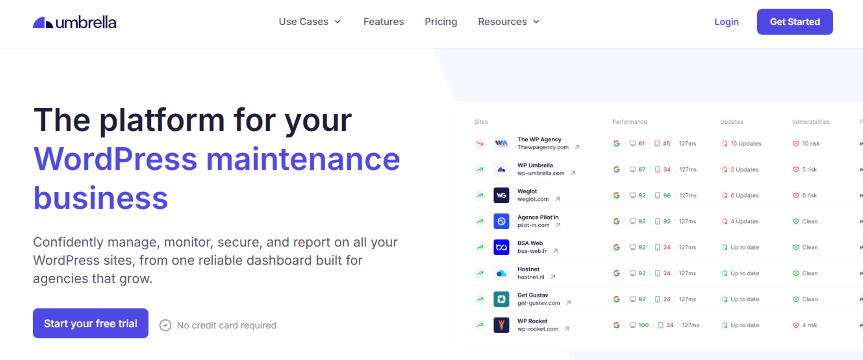
WP Umbrella is a polished maintenance platform built for freelancers and agencies running care plans. It centralizes backups, monitoring, updates, security checks, and client reports in one place, with a simple per-site pricing model that starts low. It feels focused, modern, and easier to understand than many older tools.
A lot of its appeal comes from clarity. The platform is explicit about backups, monitoring, reporting, and site care tools, rather than trying to be everything at once. That focus makes it easier to evaluate.
Its monitoring coverage is thoughtful too. WP Umbrella includes uptime, SSL, domain checks, PHP errors, alerts, and security reporting, which gives you practical health oversight for client sites.
Backups are another plus. The platform emphasizes backup status visibility and integrity verification, which is exactly the sort of detail agencies care about when recovery time matters.
WP Umbrella Key Features
- Centralized updates, monitoring, backups, and reports.
- Uptime, SSL, domain, and PHP error checks.
- Backup status visibility and integrity checks.
- Client reporting for care plans.
- Free team member access.
WP Umbrella Pros:
- Clean agency-focused maintenance platform.
- Strong monitoring coverage.
- Thoughtful backup implementation.
- Client reporting is built in.
- Low base entry price per site.
WP Umbrella Downsides:
- Hourly backups and Site Protect are add-ons with an extra cost.
- Per-site billing becomes less attractive at a larger scale.
- Less workflow breadth than platforms mixing staging or broader agency tools.
- Security positioning is lighter than tools emphasizing firewalls and malware cleanup.
Price: Base pricing is €2 per site, with hourly backups and Site Protect sold separately.
Final Verdict on WP Umbrella
WP Umbrella is one of the cleanest maintenance-focused alternatives on this list. It is a very good product, but WP Managify offers a more compelling bundle if you want stronger, agency-style oversight from the start.
5. WP Remote

WP Remote is best known for leaning hard into website security, backups, and monitoring. It pitches itself as a platform that helps agencies manage sites with update alerts, malware alerts, scheduled backups, and centralized oversight. If security is your primary buying trigger, WP Remote becomes more interesting very quickly.
Its standout angle is protection. WP Remote offers a real-time firewall, an intelligent malware scanner, and one-click malware cleanup, which makes it sound more security-focused than many maintenance rivals.
That can be a real advantage for agencies dealing with hacked sites or higher-risk environments. Monitoring tools are included across plans, and white-labeling is also available to all users according to the pricing update material.
The downside is pricing complexity. WP Remote’s public materials highlight several add-ons, including malware cleanups and more frequent backup or scan intervals, so total cost depends heavily on how much protection depth you actually need.
WP Remote Key Features
- Real-time firewall and intelligent malware scanner.
- Central dashboard for backups and alerts.
- White-labeling available across plans.
- Monitoring tools included in every plan.
- Add-ons for real-time, 12-hour, and hourly backups/scans.
WP Remote Pros:
- Strong security-led positioning.
- Helpful for agencies dealing with malware concerns.
- Monitoring is available on every plan.
- White-labeling is not locked away.
- Good central dashboard orientation.
WP Remote Downsides:
- Add-ons can complicate total pricing.
- Malware cleanup is separately priced.
- Some users may want clearer all-in-one plan transparency.
- The product feels more security-first than broadly workflow-first.
Price: Public pricing includes add-ons such as malware cleanups from $100 per cleanup and more frequent backups/scans from $5 to $10 per site per month, with yearly add-on pricing also listed.
Final Verdict on WP Remote
WP Remote is a smart pick when security matters most. For a more evenly balanced maintenance stack with reporting, staging, and agency workflow benefits, WP Managify remains the more complete overall choice.
6. WPMU DEV
WPMU DEV is less a single-purpose management tool and more a broad WordPress platform. Through The Hub, you can automate updates, manage performance, use secure offsite backups, monitor downtime, log in with one click, create reports, and tap into a larger suite of hosting, SEO, and security tools. That breadth is the main reason people stay interested in it.
The Hub has a very strong feature surface. You get automated updates, performance tools, uptime alerts, offsite backups with many restore points, white-label reporting, one-click SSO, and team support.
If you want an ecosystem that can stretch into hosting, domains, security hardening, SEO, and even billing, WPMU DEV has a lot to offer. That makes it especially appealing to agencies building a broader service stack.
WPMU DEV Key Features
- Automated updates for plugins, themes, and core.
- Offsite backups with up to 720 restore points.
- Downtime alerts and performance tools.
- White-label activity and performance reports.
- Security scans, hardening, and one-click SSO.
WPMU DEV Pros:
- Very deep WordPress ecosystem.
- Strong mix of management, security, and performance tools.
- Excellent reporting options.
- Team collaboration support.
- Great fit for agencies wanting more than maintenance alone.
WPMU DEV Downsides:
- Broader platform can feel heavier than necessary for simple maintenance.
- Public plan structure is not as naturally portfolio-scaled as some competitors.
- Bigger ecosystem commitment than leaner tools.
- May be overkill if you only need a compact site-care dashboard.
Price: Current public pricing shows Basic at $36/year for 1 site, Standard at $60/year for 3 sites, and Plus at $120/year for 10 sites during the listed discount period.
Final Verdict on WPMU DEV
WPMU DEV is powerful and broad. But if you want a more straightforward dashboard centered on multi-site care rather than a wider platform ecosystem, WP Managify feels simpler and more directly aligned with that goal.
7. SolidWP
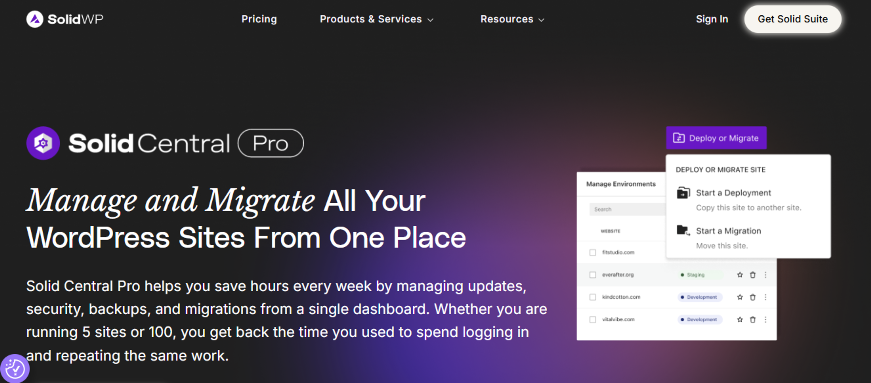
Solid Central Pro is aimed at users who want centralized multi-site control with integrated security and backup possibilities inside the SolidWP ecosystem. It gives you bulk installs and updates, uptime and speed visibility, activity logs, and remote integration with Solid Backups and Solid Security Pro. That makes it most appealing if you already like SolidWP’s product family.
One of its strengths is integration. If you are already using Solid Security and Solid Backups, Solid Central Pro becomes a convenient headquarters for remote maintenance.
The Activity Timeline and centralized dashboard also help with oversight. You can monitor key site functions, review updates, and manage sites without hopping around multiple admin areas.
Still, much of the value depends on other Solid products being part of your stack. That means the tool can feel less self-contained than more all-in-one alternatives.
SolidWP Key Features
- Bulk installs and updates.
- Real-time visibility into critical site functions.
- Uptime and speed monitoring.
- Activity Timeline for changes and operations.
- Integration with Solid Backups and Solid Security Pro.
SolidWP Pros:
- Good fit for existing SolidWP users.
- Strong activity tracking.
- Bulk remote management is useful.
- Monitoring is built into the Central experience.
- Pricing scales by site count.
SolidWP Downsides:
- Backup and security value depends on separate Solid products.
- Less self-contained than true all-in-one platforms.
- Best experience is tied to the Solid ecosystem.
- Can be less appealing if you want vendor-neutral flexibility.
Price: Solid Central Pro pricing shown publicly starts at $69/year for 5 sites, with other tiers by site count; some SolidWP pricing pages also show 1-site pricing.
Final Verdict on SolidWP
Solid Central Pro works best when you are already invested in the Solid stack. If you want something more broadly bundled and less dependent on companion products, WP Managify is easier to recommend.
8. IControlWP
iControlWP is a long-running tool built around granular control, add-ons, white-labeling, backups via WorpDrive, uptime monitoring, domain monitoring, and client reporting. It clearly targets users who like assembling the exact features they need site by site. That can still be useful in specialized workflows.
Its support documentation reveals a surprisingly wide set of tools. You can manage updates, add users, change database details, optimize databases, use white-label profiles, monitor domains, and create client reports.
The platform also stands out for pricing granularity. Plans include a number of sites, with extra sites and backup pricing layered in, which gives flexibility if you want to tailor feature spend tightly.
The downside is that the product feels more piecemeal than newer bundled alternatives. When compared with a more unified dashboard experience, iControlWP can seem more add-on-driven and less streamlined.
IControlWP Key Features
- White labeling and client reporting.
- Uptime and domain monitoring add-ons.
- WorpDrive backup and recovery.
- Update controls and site optimization tools.
- Site clone and WordPress install features.
IControlWP Pros:
- Very granular feature control.
- Useful white-label options.
- Backup system is established.
- Good documentation coverage.
- Flexible for users who prefer add-on style management.
IControlWP Downsides:
- Add-on-heavy structure feels less streamlined.
- Pricing can become harder to read as features stack.
- Interface and positioning feel older than newer rivals.
- Less polished as a modern agency dashboard.
Price: Public pricing shows 10 included sites, extra sites from $2.90 each, and daily automatic backup at $5 per site per month.
Final Verdict on IControlWP
IControlWP still offers a lot of control, especially for users who like fine-grained add-ons. But if you want a cleaner, more current all-in-one experience, WP Managify is the easier recommendation.
9. Divi Dash
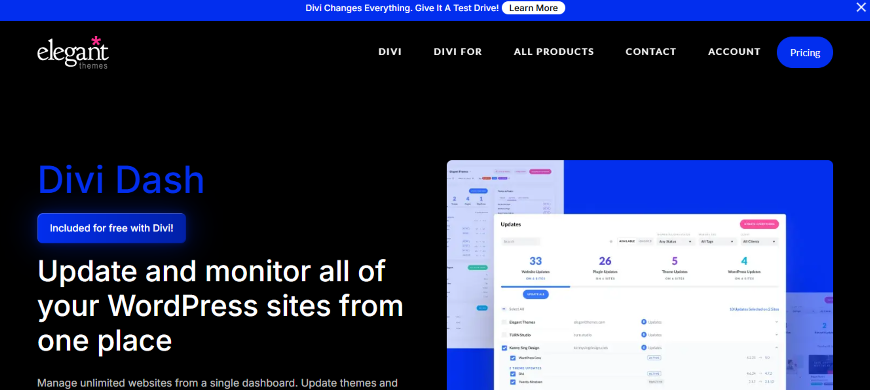
Divi Dash is one of the most interesting newer entries because it is included free with Divi and lets you manage unlimited WordPress websites from one dashboard. It handles updates, plugin and theme management, client info tracking, maintenance automation, and site histories, and it works with any theme, not only Divi sites. That makes it better than many people first assume.
The unlimited-site angle is the headline benefit. If you already pay for Divi, getting unlimited multi-site management without separate per-site pricing is an easy value win.
Divi Dash also covers practical daily tasks. Bulk management, auto updates, client assignment, database optimization, history tracking, and one-click admin access all help reduce repetition.
The limitation is depth. Divi Dash looks strongest for updates, organization, and general upkeep, but it is not as well-maintained for backups, security scanning, and white-label reporting as some purpose-built alternatives.
Divi Dash Key Features
- Manage unlimited websites from one dashboard.
- Plugin and theme updates with automation.
- Client information management.
- Activity history and site overview.
- Included with Divi membership.
Divi Dash Pros:
- Excellent value for Divi users.
- Unlimited site management is attractive.
- Good interface for routine update work.
- Works with non-Divi themes too.
- Good for client and site organization.
Divi Dash Downsides:
- Best value depends on already being in the Divi ecosystem.
- Backup and security depth are less prominent in its positioning.
- Reporting and agency proof-of-work features are lighter than dedicated care-plan tools.
- More of a management layer than a full maintenance suite.
Price: Divi Dash is included free with Divi, and Divi membership starts at $89/year according to Elegant Themes’ public pricing.
Final Verdict on Divi Dash
Divi Dash is surprisingly good value, especially if you already use Divi. Still, for broader maintenance depth and a more agency-ready reporting and monitoring stack, WP Managify comes out ahead.
10. WP Blazer
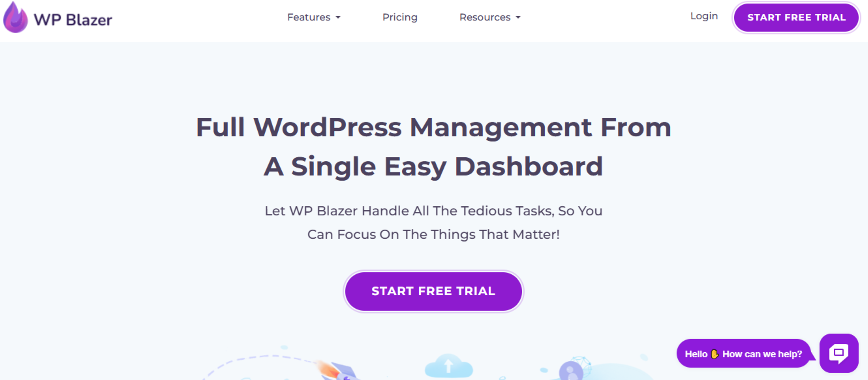
WP Blazer positions itself as a multi-site manager with backup, uptime monitoring, malware scanning, bulk action tools, white-labeling, and even SEO tools. It also promotes social media management and bulk posting on some comparison pages, giving it a slightly broader, growth-oriented angle than some basic maintenance dashboards.
One clear benefit is straightforward pricing. WP Blazer offers a free tier and a pay-as-you-go plan at a public, per-site monthly rate, making it easy to understand.
Its feature list is also wider than expected. Beyond updates, plugin and theme management, backups, and uptime monitoring, it leans into client reporting, white labeling, and SEO-related utilities.
The concern is depth and positioning. Some feature claims are spread across comparison pages rather than in a clearly structured core product breakdown, and the platform feels more growth-tool-oriented than maintenance-specialist in places.
WP Blazer Key Features
- Backup and one-click restore on the paid plan.
- Uptime monitoring and updates.
- Plugin and theme management.
- Client reporting and white labeling.
- Bulk action and SEO-related tools.
WP Blazer Pros:
- Easy-to-read pricing.
- Free tier is useful for testing.
- Covers maintenance basics plus extras.
- Includes white label and reporting.
- Interesting for users who want SEO or bulk-posting style extras.
WP Blazer Downsides:
- Core positioning feels less focused than dedicated maintenance platforms.
- Some key feature details are scattered across comparison pages.
- Less established in agency workflows than stronger category leaders.
- Monitoring and backup depth are not presented as clearly as the top rivals.
Price: Free plan available, with pay-as-you-go pricing from $1.75 per site per month.
Final Verdict on WP Blazer
WP Blazer offers appealing extras and a simple pricing model. But if your main goal is a more polished, agency-grade maintenance platform, WP Managify is the stronger choice.
Conclusion
If you only need a basic way to push updates, you have plenty of options. But if you want a platform that helps you handle uptime, backups, security monitoring, reporting, safer workflows, and multi-site organization in a way that supports real client work, the list gets much shorter.
That is why WP Managify earns the top spot here. It brings together the parts that matter most for daily WordPress maintenance, and it does so with a stronger bundled feel than many alternatives that either lean too heavily on add-ons, depend on a wider ecosystem, or focus more narrowly on one feature area. If you want a ManageWP alternative that feels ready for serious growth, this is the one most readers should look at first.
