
OysterVPN is a VPN service making a successful bid to give you a safe, private, and censorship-free online experience. They market it as an inexpensive option compared to big names that are heavily marketed online. OysterVPN has the potential to blow you away though, with options to unblock popular streaming services and keep you safe from online snooping.
Table of Contents
But there are so many VPNs out there, right? So, does OysterVPN stand out? In this review, we will take an honest look. We will see what it does well. Where it might fall short, and ultimately, if it’s worth your time and money.
User Interface and Ease of Use
The first thing you will probably notice about OysterVPN is how simple it looks. The interface is easy to understand. Installing it is a breeze, too. It works with all the major devices like Windows, macOS, Android, and iOS.
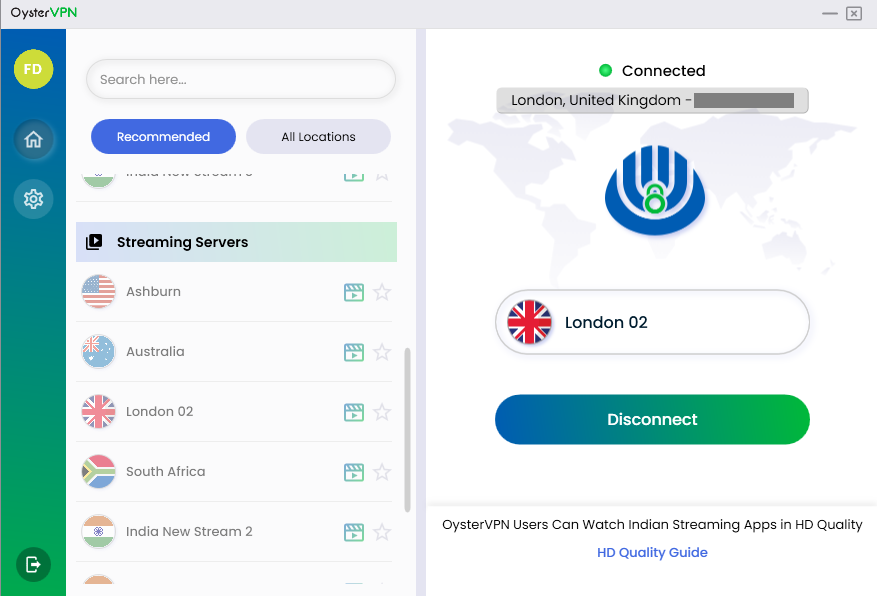
The app is built for beginners. It’s got one big connect button and a list of servers. That’s about it. This simplicity is awesome if you are not a tech person. You just want to connect and go.
Server Network and Speed Performance
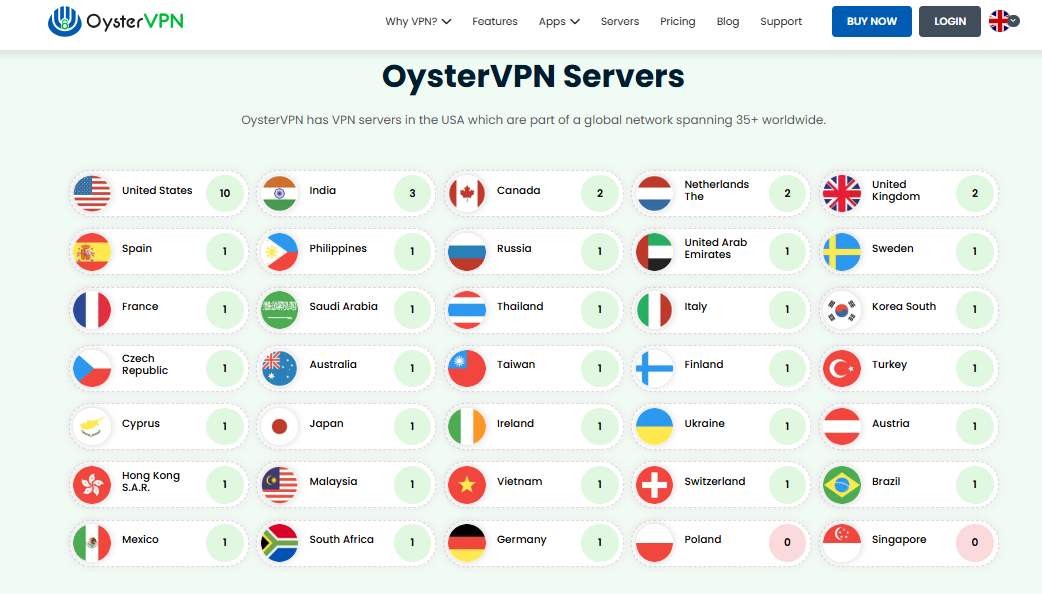
OysterVPN has a limited number of servers. They are spread out across important and in-demand places, like North America, Europe, Asia, and Australia. So, while it’s not a huge list, it covers the basics most people need. That’s perfectly fine for just browsing or streaming basic stuff.
Upon testing, local servers gave us stable connections. We saw minimal speed drops, which is great for daily online activities. These include checking emails or watching YouTube in HD. But international servers, especially ones far away, sometimes had noticeable delays at the jump but became stable while in use.
OysterVPN works very well for low to medium bandwidth tasks. For higher workloads, having a bit of patience will get you through.
Streaming and Unblocking Capabilities
Lots of people use VPNs these days for one main reason. To get around those pesky geo-restrictions and watch shows from anywhere. OysterVPN does a pretty good job with this. It can successfully unlock popular platforms that are top of anyone’s list; you know which ones.
During our tests, sometimes it took a few tries to find a server that really worked for each service. But once we were connected the streaming was smooth, especially for HD content.
Security and Privacy Features
OysterVPN is perfect when it comes to security. It uses really strong AES 256-bit encryption. That’s the same level banks and governments rely on. It also has a kill switch. This feature cuts your internet if the VPN drops. This stops your data from accidentally leaking. Plus, there’s DNS leak protection built in. That keeps your internet provider from snooping on what you are doing online.
OysterVPN says it has a strict no-logs policy. This means they claim not to collect or store your online activity. It hasn’t had any independent audits. Not yet, anyway. In today’s world, the main concern of all users is privacy. So, not having that outside check might make some folks wonder.
OysterVPN is grounded in a country that has good privacy options which is Ireland, notably not a member of 5/9/14 eyes. This location helps show their commitment to keeping your data private and safe.
Torrenting and P2P Support
So, does OysterVPN let you torrent? Yes, it does, but with a few catches. You can do a P2P activity, but only on certain servers.
The problem is, they are not marked in the app. That means you will be playing a bit of a guessing game if you want to share files or download torrents quickly.
During some light torrenting tests, speeds were okay, but without features like port forwarding or other advanced options, this VPN isn’t really ideal for power users who need very specific setups.
For casual users just downloading a movie or a file now and then, OysterVPN will get the job done. But if you torrent a lot, this VPN might not be quite what you are looking for.
Customer Support Experience
OysterVPN offers customer support in a couple of ways: through live chat and email. The live chat is usually pretty quick.
Agents try to answer basic questions right away, but if you have something more difficult or technical, they will usually suggest that you email support.
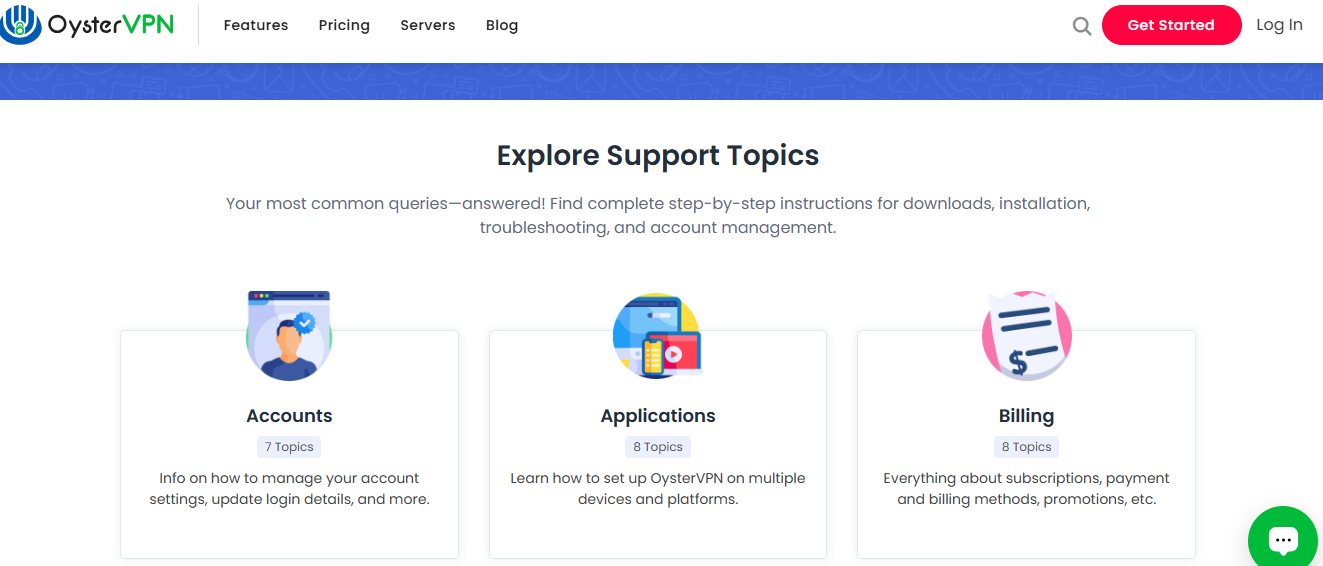
The website’s help section and FAQ are pretty basic that is they cover what most users will want to know, from manual configuration steps, to installation guides.
They cover things like setting up the VPN, canceling your subscription, or fixing common issues. But they don’t have super detailed guides or walkthroughs for advanced users. A bigger, more in-depth knowledge base would be a nice improvement for them.
Pricing and Plans
OysterVPN wants to be your go-to budget VPN. Its prices are pretty good, especially if you sign up for a longer plan. You can get some sweet discounts that way. Plus, they offer a 30-day money-back guarantee. So, you can try it out risk-free.
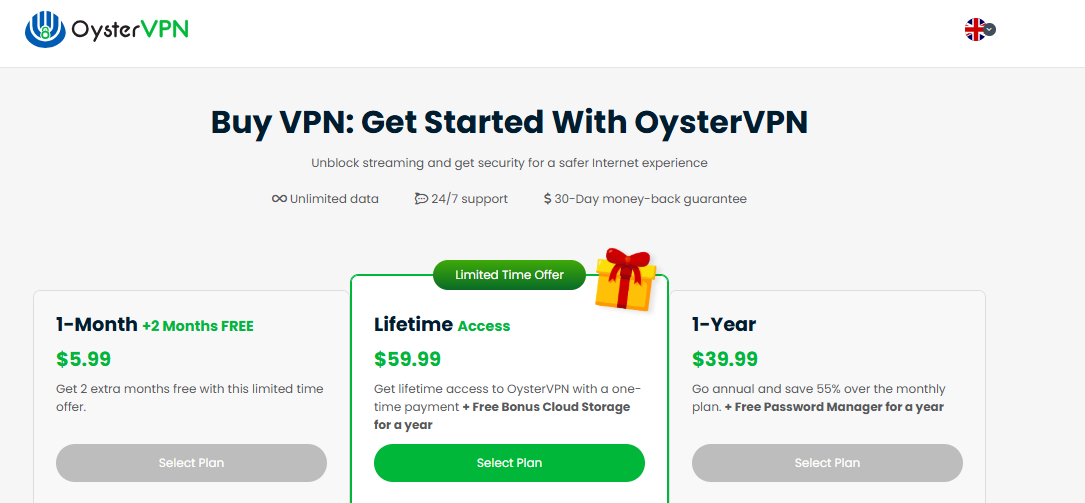
You usually get what you pay for. OysterVPN’s features match its lower cost. You will find fewer servers. There are not many customization options for the developer-brained users either.
If your need is for a basic VPN for some light streaming, consistent daily browsing, or sometimes for torrenting, it provides great value.
Pros and Cons
Some notable pros and cons of OysterVPN.
Pros:
- It has an easy-to-use interface, great for beginners
- It can unblock major streaming services
- It has strong encryption and essential privacy tools
- It is very affordable pricing for long-term plans
- Has decent server spread for global access
Cons:
- Doesn’t have a third-party audit to verify privacy claims
- Gives inconsistent speeds, especially on distant servers
- Doesn’t have port forwarding or advanced torrenting features
- It has very basic support documentation
- It has limited customization and no advanced settings
Final Verdict
OysterVPN is a pretty decent choice if you want a simple VPN. It will not cost you an arm and a leg either. It’s super user-friendly, and it gives fairly secure features. For everyday things like streaming or some light downloading, it does the job well enough.
Now, if you are an advanced user, you might miss some things. Features like port forwarding or custom protocol settings are not yet available with it, and even though OysterVPN does offer split tunneling, this is on mobile for now. These things can be accumulated over time, while speed and connectivity are reliable enough for our use.
