
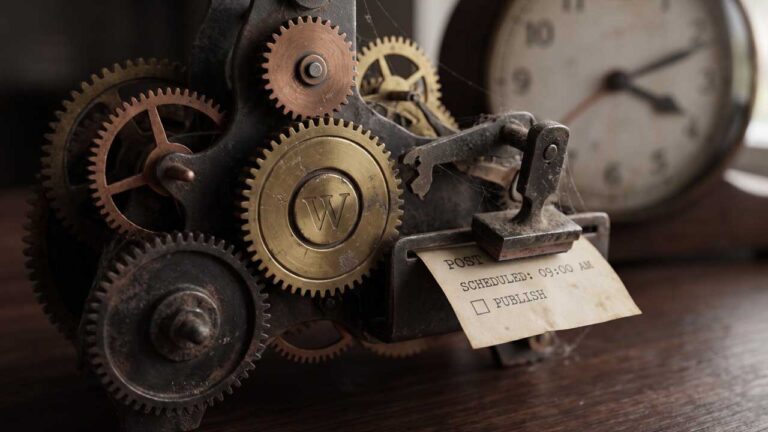
A post scheduled for six in the morning that shows up at eleven usually has nothing wrong with the post. WordPress did not forget it. What failed is the thing that was supposed to notice the time had come — and that thing is not a clock.
That is the part most people miss about WP-Cron. It sounds like cron. It is scheduled like cron. It is not cron in the way a server administrator would recognise. WP-Cron runs when a page is requested, not when a clock ticks. On a busy site nobody notices the difference. On a quiet site, it shows up as a publishing schedule that quietly drifts by hours.
Here is what is actually happening, how to confirm it on your own site, and where the honest limit of the default setup sits.
WP-Cron is triggered by visitors, not by time
WordPress registers scheduled events in the cron option and then checks them during ordinary page loads. If a running request notices that something is due, it fires the event as part of that request.
Two consequences follow directly:
- No traffic, no cron. A site with almost no visitors overnight will not process its due events until someone arrives. A scheduled post set for 02:00 published at 09:40 is not a bug — the first request that touched the queue was at 09:40. Full-page caching widens that gap further, because a cached response never executes PHP and therefore cannot trigger anything.
- Cron inherits the request’s lifetime. If the request that triggers cron is killed early, by a PHP timeout, a proxy timeout, or a fatal error in another plugin, the queue stops where it stopped.
The WordPress developer handbook documents this behaviour rather than hiding it: the cron system is tied into page loads by design, because shared hosting often cannot offer a dependable background process. That design decision is the root of most scheduled-post complaints.
First, prove whether the event exists
The diagnosis splits into two very different problems: the post was never queued, or the queue was never run. Guessing between them wastes time. WP-CLI answers it in one line.
wp cron event list --fields=hook,next_run_relative,recurrence --format=table
If the future-publish event is missing entirely, look at the post itself. Check its status and its date:
wp post list --post_status=schedule --fields=ID,post_title,post_date --format=table
A row with a post_date in the past and a status of schedule is the clearest possible signal: WordPress knows the post is due, the run never completed. A post sitting in draft or pending is a different problem altogether and no amount of cron work will publish it.
You can also see the exact event behind future publishing:
wp cron event list --hook=publish_future_post --format=table
WordPress publishes future-dated posts by way of the publish_future_post hook. If that event has a next_run_relative of “now” and it stays there, the queue is being skipped or failing, not merely delayed.
Then, watch a manual run do the work
Running the due events by hand is the fastest way to separate “scheduler not triggered” from “scheduler triggered and failed”.
wp cron event run --due-now
wp post list --post_status=schedule --fields=ID,post_title --format=table
If the second command comes back empty, the publish action itself works and your only problem is that nothing was calling the queue. If the post is still listed, the event either failed midway or never matched. At that point check the PHP error log around the timestamp — a fatal error inside another plugin’s cron callback will silently abort the rest of the queue, and the post is the casualty, not the cause.
The same check from outside WordPress, using a bare HTTP request, tells you whether the endpoint is reachable at all:
curl -s -o /dev/null -w 'status=%{http_code} time=%{time_total}s\n' \
  "https://awplife.com/wp-cron.php?doing_wp_cron"
A 200 proves the file answers. It does not prove the queue inside it ran to completion, and it does not prove anything called it while you were asleep. Treat it as a reachability test, not a health check.
The five reasons a scheduled post slips
Most cases fall into a short list.
- Low traffic during the scheduled window. The most common cause by far, and the one people blame on everything else first.
- A PHP or proxy timeout during the cron request. The queue starts, a slow callback eats the time budget, and later events in the same run never fire.
- A CDN caching the page that would have triggered cron. Cached responses skip the PHP work, so the trigger disappears for the cache lifetime. If the site sits behind an edge cache, choosing a CDN that respects dynamic requests is part of keeping the trigger alive.
- Host-level blocks on
wp-cron.php. Some hosts and security layers throttle or block direct requests to that file. The queue keeps existing; nothing calls it. - Staging or local environments that suppress cron deliberately. Scheduled publishing is usually not wanted on a copy of a live site, so it is switched off — and then someone tests scheduling there and concludes the feature is broken.
Notice that only one of those is about the post. The rest are about the trigger.
What a real cron job actually changes
A system cron entry removes the dependency on visitors. The site no longer needs traffic to keep its schedule; the server’s own scheduler calls WordPress every few minutes.
With WP-CLI available on the host:
*/5 * * * * cd /home/user/public_html && wp cron event run --due-now >/dev/null 2>&1
Without WP-CLI, hit the endpoint instead:
*/5 * * * * wget -q -O /dev/null "https://awplife.com/wp-cron.php?doing_wp_cron"
The first version is better when it is available, because it runs in the same place as your other WP-CLI work and does not route through the web server, the CDN, or any page cache. The second still passes through all of those, so if wp-cron.php is blocked or cached, the replacement inherits the problem.
Order matters more than people expect. Add the system job, confirm scheduled posts appear on time, and only then stop the request-triggered version:
// wp-config.php — only after a real cron job is running
define( 'DISABLE_WP_CRON', true );
Disabling first is how a site loses its scheduler during a quiet weekend. The constant does not schedule anything in its place; it only stops WordPress from spawning cron on page loads.
The trade-off nobody mentions
Running cron on every page load is wasteful. Running it every five minutes from a system job is cheaper for the site and more predictable for the schedule, but it also means the queue runs whether or not anything is due — a small fixed cost instead of a cost that scales with traffic.
For a low-traffic business site with scheduled posts, backups, and cleanup tasks, the fixed cost is the better trade. For a high-traffic publication that already spawns cron constantly, the opposite can be true: moving it to a system job and disabling the automatic version can measurably reduce the work done per page view.
Either way, the decision should follow measurement, not fashion. Look at how often the queue is actually triggered and how long the runs take before deciding. The measured WordPress speed guide shows how to take that baseline without guessing at the numbers.
When a plugin is the real culprit
Some scheduling failures come from plugins that schedule their own events badly — a hook that never unhooks, a callback that runs longer each time, an event scheduled on every page load and never cleared. The symptom looks identical: posts publish late, or not at all.
Two commands are usually enough to spot it:
wp cron event list --fields=hook,next_run_relative --format=csv | sort | uniq -c | sort -rn | head
That shows whether one hook is dominating the queue. A hook scheduled hundreds of times is a plugin leaking events, and every run spends its budget working through duplicates.
wp cron event run --due-now 2>&1 | tail -20
The output names what ran. If the queue spends its time on something unrelated to publishing and then stops, you have found the reason the publish event never arrives.
For sites that cannot run system cron
Some managed hosts do not expose a crontab. In that case the workable options are limited, and it is worth being honest about them:
- Ask the host. Many managed WordPress hosts will add a cron entry on request, or provide a control-panel scheduler.
- Use an external scheduler that pings
wp-cron.php. It works, but it inherits the CDN and host restrictions on that file. - Move the schedule off WordPress entirely. Webhook-driven scheduling takes the publishing trigger out of the request cycle, which removes this failure mode rather than managing it. Headless sites already skip the template render on publish, and headless WordPress with Astro explains why that architecture changes the scheduling story as well.
That last option is a bigger change, and it belongs in its own piece — replacing WP-Cron with serverless webhooks covers the architecture. The point here is narrower: if the trigger never fires, no plugin, no setting, and no re-save of the post will fix it.
A short checklist for the next missed post
When a post does not publish, work in this order and stop as soon as an answer appears.
- Is the post status
schedule, with a date in the past? If not, this is a different problem. - Does a
publish_future_postevent exist? If not, the post was never queued. - Does
wp cron event run --due-nowpublish it? If yes, the queue was simply never triggered — fix the trigger. - Does the run fail or stop early? Check the PHP error log and the cron output for a fatal error in another callback.
- Is
wp-cron.phpreachable from outside? If not, the host or CDN is the cause, not WordPress.
Five checks, in that order, cover nearly every case. They are also cheap enough to run before changing anything — which is the part that saves the afternoon. If other symptoms show up alongside the missed posts, such as a slow admin, timeouts, or 500s during a run, the site functionality, speed, and security check is the broader diagnostic to run first.
FAQ
Why did my scheduled post publish hours late?
Because WP-Cron runs on page requests rather than a clock. The post became due at one time and the first request that processed the queue happened later. On low-traffic sites that gap can be hours.
Does WordPress use the server’s cron?
Not by default. It uses its own request-triggered scheduler. You can replace it with a real system cron job, which is the usual fix for unreliable scheduled publishing.
Is it safe to disable WP-Cron?
Only after a real cron job is calling the queue on a fixed schedule. Disabling it alone stops scheduled posts, backups, and cleanup tasks from running at all.
Why do scheduled posts publish fine on one site and not another?
Traffic is the usual difference. A busy site triggers the queue constantly; a quiet one may go hours without a request. Cache configuration and host restrictions on wp-cron.php account for most of the rest.
Can a plugin cause scheduled posts to miss their time?
Yes. A plugin whose cron callback errors or runs long can abort the rest of the queue, so events later in the same run never fire. The publish event is often the victim rather than the cause.
How often should a real cron job run?
Every five minutes is a common choice and matches what most scheduling expectations assume. Running more often adds load without improving punctuality much; running hourly trades precision for lower overhead.
