
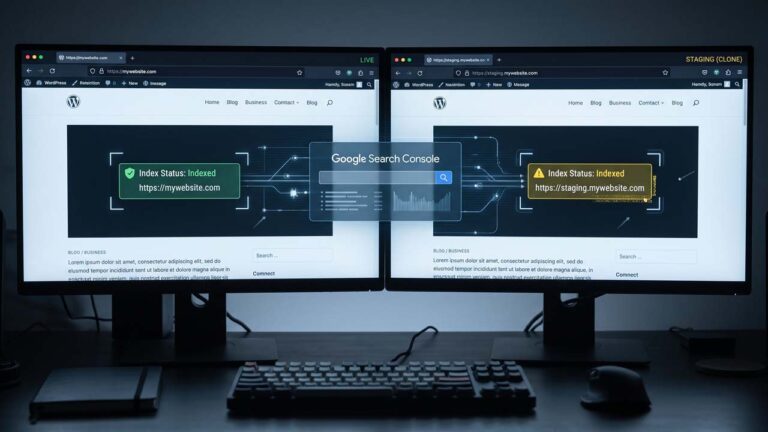
The staging site was supposed to be invisible. Then a client searches their own product name and finds staging.yourdomain.com sitting above the real domain, with the old design and a price list from three months ago. Nobody submitted it anywhere. Nobody linked to it. It is in the index anyway.
This happens for a boring reason. A staging site is usually a clone of production, and a clone copies the option that told Google the site was public. The protection everyone assumes is on was never turned on for the copy, and the setting that looks like a block is not one.
The Clone Inherits the Setting That Made Production Public
Most staging sites start as a database copy. wp db export on production, wp db import on staging, or a plugin that does the same thing with a progress bar. Either way, the wp_options table arrives intact, and blog_public arrives with it.
On production blog_public is 1, because the site is supposed to be indexed. On the clone it is still 1, and nothing in a fresh clone announces that it is a copy. The URL is the only thing that changed.
WordPress does have a control for this, and it is honest about its limits. Under Settings → Reading, the “Search engine visibility” checkbox is labelled “Discourage search engines from indexing this site”, and the description under it says:
Note: Neither of these options blocks access to your site — it is up to search engines to honor your request.
That sentence is the whole problem in one line. The setting asks. It does not block. Blocking needs something that acts before the crawler sees the page.
What the Checkbox Actually Emits
Since WordPress 5.7, core builds the robots meta tag in wp_robots(), which runs on wp_head at priority 1. The blog_public option is read by wp_robots_noindex(), a default callback on the wp_robots filter, and when the option is falsy it delegates to wp_robots_no_robots(). That function adds two directives and returns:
<meta name='robots' content='noindex, nofollow' />
So far, so reasonable. The surprise is what the same option does to robots.txt, which is nothing. do_robots() writes User-agent: *, a disallow for the admin path, an allow for admin-ajax.php, and then hands the output plus the public flag to the robots_txt filter. Core never adds Disallow: / when the site is private. If a plugin adds it, that is the plugin’s decision, not WordPress’s.
This matters because of how noindex works. Google treats it as a rule rather than a hint, but the rule only takes effect if Googlebot can read it:
For the noindex rule to be effective, the page or resource must not be blocked by a robots.txt file, and it has to be otherwise accessible to the crawler.
If the page is blocked by a robots.txt file or the crawler can’t access the page, the crawler will never see the noindex rule, and the page can still appear in search results, for example if other pages link to it.
Read that twice, because it inverts the usual checklist. The warning comes from Google’s noindex documentation, and the same page states that specifying noindex in robots.txt is not supported at all. A Disallow: / line is therefore the one “protection” that guarantees the tag never gets seen, which is why Google’s robots.txt introduction says the file “is not a mechanism for keeping a web page out of Google. To keep a web page out of Google, block indexing with noindex or password-protect the page.”
Five Reasons a Staging Clone Still Shows Up
The default clone is public, but the interesting cases are the ones where someone did untick the box and the site appeared anyway.
1. The clone is public by default. blog_public is 1 on the copy. This is the common case, and it needs no help from anyone.
2. An SEO plugin owns the robots tag. Rank Math, Yoast, and AIOSEO all filter the robots output to match their own settings, and the tag on the page is theirs, not core’s. If the plugin’s per-page setting says index, the site is indexable whether or not blog_public is 0. The setting is not the tag. The HTML is the tag.
3. The clone rewrote its own canonical. A clone that runs a search-replace on the site URL also rewrites rel="canonical" to point at the clone. Google calls rel="canonical" a strong signal, and a staging site declaring itself canonical is the opposite of a block. A clone that kept production’s URLs in the canonical is better off, but that is luck rather than a plan: the canonical still has to be crawled to be seen, and it does not remove an indexed copy.
4. The sitemap came with the clone. The SEO plugin regenerates a sitemap full of staging URLs. A sitemap is an invitation. Google’s sitemap documentation is clear that it is not a guarantee — “A sitemap helps search engines discover URLs on your site, but it doesn’t guarantee that all the items in your sitemap will be crawled and indexed” — but an invitation is still an invitation, and it is one a crawler can accept without any link to the site.
5. Someone shared it. A QA ticket, a client email, a Slack thread, a “preview” link sent to a stakeholder. Discovery does not require your permission, and once a URL is in the queue it can be indexed even after the password goes back on.
There is a sixth case worth naming because it is easy to miss: staging in a subdirectory of the production domain, like yourdomain.com/staging/. That copy inherits production’s domain, production’s internal links if any point at it, and production’s robots.txt, which you probably do not want to edit for the sake of a temporary site. Authentication is the only clean answer there.
The Protection Ladder, in the Right Order
Three controls, and they are not interchangeable. Order them by what they stop.
| Layer | What it stops | What it cannot do |
|---|---|---|
| HTTP authentication or IP allowlist | The fetch itself | Remove a page already indexed |
X-Robots-Tag header, or the noindex meta tag | Indexing of a page Google can fetch | Stop the crawl, or be seen if access is blocked |
robots.txt | The crawl | Remove a page, and it hides the noindex from Google |
Authentication is the only layer that prevents the page from being fetched, which means it is the only layer that prevents it from being indexed in the first place. It is also the layer most often skipped, because a staging site behind a login is slightly harder to share with the client.
If you run your own server, the Apache directive is four lines:
AuthType Basic
AuthName "Staging"
AuthUserFile /etc/apache2/.htpasswd-staging
Require valid-user
On a managed host, the same thing usually exists as a one-click “password protect directory” toggle in the panel. On Cloudflare, Access policies do the job and return a login page instead of a 401. Any of them is better than the checkbox.
The second layer catches what the first cannot: a page that was crawled before authentication went on, or a moment when the auth is misconfigured. X-Robots-Tag is the HTTP-header form of noindex, and Google says the header and the meta tag “have the same effect”. The advantage of the header is coverage: it applies to PDFs, images, XML, and anything else that never renders a <head>, and it survives a theme that forgets to call wp_head().
This must-use plugin adds the header on staging and does nothing on production, because the constant is only defined on the clone:
<?php
/**
 * Plugin Name: Staging Noindex Header
 * Description: Sends X-Robots-Tag on a staging copy, guarded by a constant.
 */

add_action( 'send_headers', function () {
	if ( ! defined( 'WP_STAGING' ) || ! WP_STAGING ) {
		return;
	}

	header( 'X-Robots-Tag: noindex, nofollow', true );
} );
With this in wp-config.php on the staging copy only:
define( 'WP_STAGING', true );
The guard is the point. An unconditional header in an mu-plugin is a time bomb: sync the mu-plugins directory to production and the live site drops out of the index over the following weeks, with no error anywhere.
Prove It, Don’t Assume It
Every one of these checks takes a second, and together they answer the only question that matters: what does the clone tell a crawler that arrives with no cookies?
STAGING="https://staging.yourdomain.com"

# 1. What does an anonymous visitor get?
curl -sI "$STAGING/" | head -n 1
curl -sI "$STAGING/" | grep -i "^x-robots-tag"

# 2. What does the rendered HTML say?
curl -s "$STAGING/" | grep -i "name='robots'"

# 3. What does WordPress think it is?
wp option get home --path=/var/www/staging
wp option get siteurl --path=/var/www/staging
wp option get blog_public --path=/var/www/staging
Read the results in order. The wp lines need WP-CLI on the server, and the option command reference is what you use when a value has to be written back.
HTTP/2 401is the strongest outcome. Googlebot cannot fetch the page, so there is nothing to index. If the site was never indexed, you are done.HTTP/2 200with nox-robots-tagmeans the header layer is missing. The meta tag may still be there, but it is now the only thing between staging and the index.- A
<meta name='robots'>line containingnoindexmeans the setting reached the page. No line at all means something removed it, and an SEO plugin is the usual suspect. blog_publicreturning0confirms the option, not the outcome. It is evidence, not proof; the HTML is the proof.homeandsiteurlpointing at the production domain is a misconfiguration that breaks the clone in other ways, and it is worth fixing before anything else.
If the SEO plugin manages robots output, check its settings page too. A plugin that says “index” for the homepage will win against blog_public every time, because it filters the array after core fills it.
When the Staging URL Is Already in Results
Removal is a separate job from protection, and doing them in the wrong order wastes a week.
- Close the hole first. Authentication, or the header, or both. A removal request against a page that is still crawlable is temporary by definition.
- Check every URL variation.
httpandhttps,wwwand non-www, trailing slash or not, and any query strings that appeared in links. Google’s removal documentation is explicit about protecting all variations, because they are separate URLs as far as the index is concerned. - Use the Removals tool for the fast fix. A request there removes the URL from search results within a day, and the effect lasts “about 6 months”. It is the right tool for a staging URL that is live in results right now.
- Make the permanent fix the one that survives. Google lists three: remove or update the content, password-protect the page, or add a noindex tag. Its documentation adds a warning that matches the earlier point: do not use
robots.txtfor this.
A word on what the 6-month figure means. Temporary removals are temporary because the URL still exists. If the page is still crawlable when the request expires, it can come back. The permanent fix is the only thing that ends the cycle.
Pushing Staging to Production Without Shipping the Noindex
The reverse accident is more expensive, and it is the one nobody plans for. The staging database gets pushed to production, or the mu-plugins folder is synced, and the live site inherits blog_public = 0 or WP_STAGING. Nothing looks broken. The site loads. Then traffic falls for a month and the cause is a meta tag.
Five checks, before and after any push:
wp option get blog_publicon production returns1.wp option get homeandsiteurlpoint at the production domain, not the staging one.grep -r "WP_STAGING" wp-config.php wp-content/mu-plugins/finds nothing on production.curl -s https://yourdomain.com/ | grep -i "name='robots'"returns nothing, or returns directives you recognise.curl -sI https://yourdomain.com/ | grep -i "^x-robots-tag"returns nothing.
Then use URL Inspection in Search Console on the homepage, and request indexing if it has been a while. The pre-launch indexing checklist covers the rest of that handover.
Two habits prevent most of this. Keep the staging-only constants in a file that is not part of the deployment, and treat blog_public as a deploy check rather than a setting you remember to flip.
Where This Fits With the Rest of Your Setup
The indexing guide covers the opposite problem, getting a site into the index in the first place. This piece is about keeping one copy out while the other stays in, and the two do not conflict: both come down to what the page tells a crawler.
If you want a broader list of blocking methods — plugins, .htaccess rules, server settings — the crawler-blocking guide has them. The difference here is the order and the proof. A method list tells you what exists; the ladder tells you which one fails when combined with the others.
Migrations are the other place staging URLs escape. A staging copy that is moved to a new host without a search-replace keeps the old address in the database, and the migration checklist covers the parts that affect rankings, while the common migration problems piece covers the ones that break the site. Neither is a substitute for checking home and siteurl on the new copy, which takes one command.
If the staging site is only up for an afternoon, a maintenance-mode plugin is simpler than a full clone, and it has its own noindex behaviour to verify. The maintenance mode comparison is the starting point.
A Short Checklist
- [ ] Staging is behind authentication or an IP allowlist, and an anonymous request returns 401.
- [ ]
X-Robots-Tag: noindex, nofollowis present on staging responses, guarded by a constant. - [ ] The rendered HTML contains a noindex robots tag, from core or from the SEO plugin.
- [ ]
robots.txton staging does not block the paths you are relying on noindex to protect. - [ ]
homeandsiteurlpoint at the staging URL, and the canonical does not point at production by accident. - [ ] Any staging URL already in results has a removal request filed, with all variations covered.
- [ ] Production has
blog_public = 1and noWP_STAGINGconstant after the push.
FAQ
Does the “Discourage search engines” setting block Google?
No. It emits a noindex, nofollow meta tag and leaves crawling untouched. WordPress’s own description says neither option blocks access to the site and that it is up to search engines to honour the request.
Is noindex enough to keep a staging site out of Google?
It is enough only if Googlebot can fetch the page. If staging is behind authentication, the tag is never seen, and the same is true if robots.txt blocks the path. In practice noindex is the second layer, not the first.
Should I block staging with robots.txt?
Not as the primary control. A Disallow: / stops the crawler from fetching the page, which also stops it from seeing the noindex tag, and a URL blocked this way can still be listed in results when other pages link to it.
Why is my staging site showing in Google when I set it to noindex?
Three common causes: the option was set on production rather than the clone, an SEO plugin is generating the robots tag and says index, or the page was crawled before the setting was applied and has not been recrawled since. Compare the setting with the rendered HTML.
How do I remove a staging URL from Google?
Close the hole first, then file a removal request in Search Console for every URL variation. Temporary removals last about six months, so the permanent fix — authentication, a noindex tag, or deleting the content — has to be in place before the request expires.
Will a password-protected staging site be indexed?
Googlebot cannot fetch a page that returns 401, so a page it has never crawled cannot be indexed. A page that was indexed before the password went on can stay in results until Google recrawls it, which is the case the Removals tool exists for.
What happens if I push the staging database to production?
Production inherits blog_public = 0 if staging had it, and the live site starts sending noindex. The site looks fine to visitors and drops out of search results over the following weeks. Check the option and the rendered tag after every push.
Can I set noindex on staging with an SEO plugin instead of code?
Yes, if the plugin’s setting applies sitewide rather than per page, and if you verify the rendered HTML afterwards. The risk is that a plugin setting is easy to copy to production along with the database, which is why a constant-guarded header is the more durable option.
