
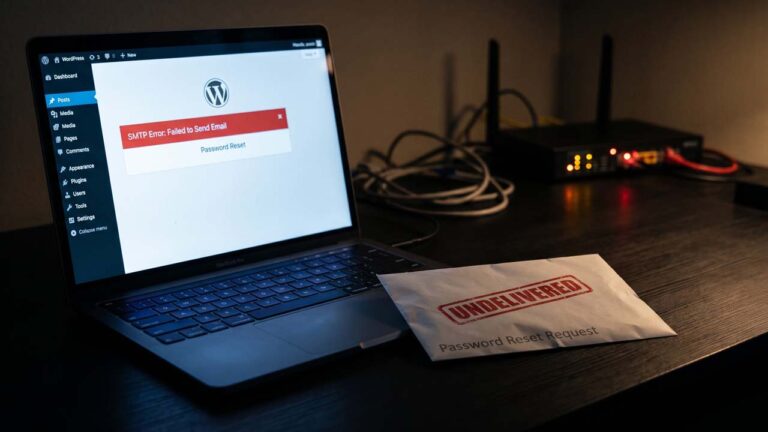
The user clicks “Lost your password?”, the screen says a reset link is on its way, and nothing arrives. They try again. Nothing. By the third attempt they have decided the site is broken, and you have no idea any of it happened.
A password reset is the one message a WordPress site cannot afford to lose, and it travels through the least configured part of the stack. There is no SMTP server in a default install, no SPF record that authorizes the sending host, and no screen anywhere in the admin that reports whether the message was accepted.
This is the path that email takes, the four places it usually dies, and the configuration that makes it survive.
What WordPress Does When Someone Requests a Reset
The flow is short, and knowing it removes most of the guesswork.
retrieve_password() looks up the account by login or email, generates a key with get_password_reset_key(), builds a plain-text message, and hands it to wp_mail(). The key is not stored in plain text. It is hashed and saved in the user’s user_activation_key field with a timestamp, and it expires after 24 hours unless the password_reset_expiration filter changes that.
The message contains a link to wp-login.php with the login name, the key, and action=rp, and core appends the current locale as wp_lang at the end. On a multisite network the URL is built from the network’s address, not the subsite’s.
When the handoff fails, retrieve_password() returns a WP_Error with the code retrieve_password_email_failure, and the login screen shows an error instead of a success message. That is the good case, because it tells you something is wrong.
The bad case is the common one. wp_mail() returns true, the screen says the email was sent, and the message disappears between your server and the recipient’s inbox. WordPress reported success because it did everything it was asked to do: it handed a message to the local mail system. Whether that system delivered it is a different question, answered by logs you may not have access to.
| Handoff | Who controls it | What can go wrong |
|---|---|---|
wp_mail() builds the message | Your WordPress install | Wrong From address, missing headers |
| PHPMailer hands it to the transport | Your site | Transport is PHP mail(), not SMTP |
PHP mail() calls the MTA | Your host | Function disabled, binary missing, port 25 blocked |
| Local MTA relays it | Your host | Shared IP reputation, no authentication |
| Recipient server filters it | Gmail, Outlook, the user’s host | SPF/DKIM/DMARC failure, spam classification |
| Inbox placement | The user | Spam folder, quarantine, typo in the address |
Every row is a place the trail can end, and only the first one is visible from the WordPress admin.
The Default Transport Is Not SMTP
WordPress does not ship with an SMTP configuration screen, and it does not pick one up from the host automatically. In wp_mail(), core calls $phpmailer->isMail(), which tells the bundled PHPMailer library to use PHP’s mail() function. The practical result is that the site inherits whatever reputation the host’s shared IP has, which is the first thing the deliverability guide tells you to measure.
PHP’s mail() then calls whatever sendmail_path points at, or fails if the host has disabled the function. On a typical shared host that means a local mail transfer agent accepting the message on behalf of the site. On a host that has disabled mail() for abuse reasons, it means a silent return value of false.
The default sender is worth knowing, because it explains a whole class of bounces. Core sets it to wordpress@ plus the site’s hostname, and the source comments say the quiet part out loud:
Some hosts will block outgoing mail from this address if it doesn’t exist, but there’s no easy alternative.
So the default is an address that usually does not exist as a mailbox, from a domain that may not authorize your server to send at all. A receiving server that checks SPF sees an IP it was never told to trust. That is one reason reset messages land in spam while the same server sends comment notifications without a problem — the difference is the recipient’s filtering, not the sending.
Why the Reset Email Is the First to Fail
Password resets are transactional, low-volume, and sent on demand to a stranger. That combination is exactly what filtering systems are built to examine.
- Volume is not the problem. You might send three reset emails a week. Reputation is built on the domain and the IP, and a domain that has never sent authenticated mail has no reputation to spend.
- The content looks like phishing. A short message with a login link and an urgent instruction is the shape of a credential-stealing email. Real reset emails get filtered for the same reason fake ones do.
- The recipient is often new. A user who just registered on a WooCommerce store has never received mail from your domain, so there is no engagement history telling Gmail this sender is wanted.
- The From address is wrong.
wordpress@yourdomain.commay not exist, and mailbox providers increasingly reject mail from non-existent senders at the domain level.
None of that requires a misconfiguration on your part. It is the default behaving as designed, and the fix is to stop using the default.
Four Places the Chain Breaks
Before changing configuration, find out which handoff is failing. The symptom points at the layer.
1. WordPress never sent it. wp_mail() returned false, or the request errored before reaching it. Causes: mail() disabled by the host, a broken plugin on the phpmailer_init hook, a security plugin blocking the reset endpoint. Symptom: the login screen shows an error, or the request times out.
2. PHP handed it off and the host dropped it. wp_mail() returned true, nothing arrived, no bounce. Causes: port 25 blocked outbound, no local MTA, the host silently discards mail from unauthenticated senders. Symptom: success message, no delivery, nothing in the recipient’s spam folder.
3. The recipient rejected it. The message reached the destination server and failed authentication or reputation checks. Causes: missing SPF, unsigned mail, a From domain that does not align. Symptom: a bounce in the sender mailbox, or silence if the rejection happens after DATA.
4. The user cannot see it. The message arrived and was filed as spam, quarantined by a corporate filter, or sent to an address with a typo. Symptom: the user insists nothing arrived; the logs say delivered.
Groups 2 and 3 are the expensive ones, and they are indistinguishable without evidence from outside the site. That is why the first diagnostic step is not a plugin install. It is a test that proves whether WordPress is even reaching the handoff.
Prove What wp_mail() Returns
Run this on the server, with WP-CLI available:
# Does WordPress hand the message off at all?
wp eval 'var_dump( wp_mail( get_option( "admin_email" ), "Mail test " . time(), "Sent from WP-CLI" ) );'

# Is PHP allowed to call mail()?
wp eval 'echo ini_get( "disable_functions" ), "\n";'

# What binary does mail() use?
wp eval 'echo ini_get( "sendmail_path" ), "\n";'
Read the output in order.
bool(true)means WordPress handed the message off. It does not mean it was delivered, and it does not mean it was accepted by a remote server.bool(false)means the handoff failed inside PHP. Check thedisable_functionsline formail, then check the error log.- An empty
sendmail_pathwithmailnot disabled usually means the host expects you to use SMTP and provides no local transport.
The test sends to the site’s admin email, which is a real mailbox you control, so it doubles as a delivery check. If the admin address is on the same host as the site, it may be delivered locally and tell you nothing about external delivery. Test to a Gmail or Outlook address you own as well, and look in the spam folder before concluding anything.
To capture the failure reason when wp_mail() returns false, log it. This must-load plugin records the error that WordPress normally discards, using the wp_mail_failed action:
<?php
/**
 * Plugin Name: Mail Failure Log
 * Description: Writes wp_mail() failures to the PHP error log.
 */

add_action( 'wp_mail_failed', function ( $error ) {
	$data = $error->get_error_data();
	$to   = is_array( $data ) && isset( $data['to'] ) ? implode( ',', (array) $data['to'] ) : '';

	error_log( 'wp_mail failed: ' . $error->get_error_message() . ' to=' . $to );
} );
Drop it in wp-content/mu-plugins/, trigger a reset, and read the error log. PHPMailer’s message is specific: Could not instantiate mail function, SMTP connect() failed, or an authentication error from the provider.
Route wp_mail() Through SMTP
SMTP replaces the local handoff with a connection to a server that authenticates you and signs your mail. That solves the transport problem and the authentication problem in one move, because the provider publishes SPF and DKIM for its own infrastructure and gives you a mailbox that actually exists.
The configuration belongs on the phpmailer_init hook, which fires after WordPress has built the message and before it is sent:
<?php
/**
 * Plugin Name: SMTP for Transactional Mail
 * Description: Routes wp_mail() through an authenticated SMTP server.
 */

add_action( 'phpmailer_init', function ( $phpmailer ) {
	if ( ! defined( 'WP_SMTP_HOST' ) || ! defined( 'WP_SMTP_USER' ) || ! defined( 'WP_SMTP_PASS' ) ) {
		return;
	}

	$phpmailer->isSMTP();
	$phpmailer->Host       = WP_SMTP_HOST;
	$phpmailer->Port       = defined( 'WP_SMTP_PORT' ) ? WP_SMTP_PORT : 587;
	$phpmailer->SMTPAuth   = true;
	$phpmailer->Username   = WP_SMTP_USER;
	$phpmailer->Password   = WP_SMTP_PASS;
	$phpmailer->SMTPSecure = PHPMailer\PHPMailer\PHPMailer::ENCRYPTION_STARTTLS;
	$phpmailer->Sender     = WP_SMTP_USER;
} );

add_filter( 'wp_mail_from', function ( $email ) {
	return defined( 'WP_SMTP_FROM' ) ? WP_SMTP_FROM : $email;
} );
The constants go in wp-config.php, above the line that says to stop editing:
define( 'WP_SMTP_HOST', 'smtp.yourprovider.com' );
define( 'WP_SMTP_PORT', 587 );
define( 'WP_SMTP_USER', 'mailer@yourdomain.com' );
define( 'WP_SMTP_PASS', 'the-app-password' );
define( 'WP_SMTP_FROM', 'mailer@yourdomain.com' );
Four details in that block matter more than the rest.
Sender is not the From header. PHPMailer sends the envelope sender separately from the visible From, and SPF is checked against the envelope. Setting Sender to the authenticated mailbox keeps the two aligned, which is what DMARC checks.
Port 587 with STARTTLS is the safer default. Port 465 with implicit TLS also works, and some providers support only one of the two. 587 is the submission port most providers document, and ENCRYPTION_STARTTLS is the constant for it. If yours offers only 465, use ENCRYPTION_SMTPS instead.
The From address must exist. A mailbox that accepts replies is also the address that will receive bounces, which is how you find out that a recipient rejected the message.
Return early if the constants are missing. A half-configured SMTP block that sets the host but not the credentials produces a connection error on every email, including the reset. The guard keeps the site on the old transport until all three values are present.
Fix Authentication at the Domain Level
SMTP gets the message out. Domain records decide whether it is trusted on arrival. There are three, and they answer three different questions.
| Record | Question it answers | Where it lives |
|---|---|---|
| SPF | Is this server allowed to send for this domain? | TXT record on the domain |
| DKIM | Was this message really signed by the domain? | TXT record on selector._domainkey |
| DMARC | What should the receiver do when either check fails? | TXT record on _dmarc |
SPF and DMARC are defined in RFC 7208 and RFC 7489, and the specifications are worth reading once because they explain the failure modes that providers summarize badly. Look at what your domain publishes now:
DOMAIN="yourdomain.com"

dig +short TXT "$DOMAIN"
dig +short TXT "_dmarc.$DOMAIN"
dig +short TXT "selector1._domainkey.$DOMAIN"
Replace the selector with the one your provider gives you; selector1 is only the Microsoft 365 convention. An empty result for SPF or DMARC means the record does not exist, not that it is fine.
Two rules keep the records from causing more problems than they solve:
- Every sender has to be in SPF. Your host, your transactional provider, Google Workspace if you use it for mailboxes, and any form service that sends as your domain. SPF has a ten-lookup limit, counted across
includeanda/mxmechanisms, and exceeding it is a permanent error. That is a real constraint when a site accumulates tools. - Do not jump to
p=rejecton day one. Start DMARC atp=none, read the reports, confirm every legitimate sender passes, then move toquarantineand laterreject. A reject policy applied before the records are complete will block the reset emails you were trying to fix.
Google’s sender guidelines require SPF or DKIM from all senders to Gmail addresses, and all three for senders above 5,000 messages a day. A WordPress site sending resets is nowhere near that volume, and the requirement still applies to the domain, because the mailbox provider judges the domain rather than the message count.
Google’s guidance also covers PTR records: the sending IP should resolve back to a hostname that resolves forward to the same IP. On shared hosting you do not control that, and it is one of the reasons a transactional provider outperforms host mail — the provider’s IPs carry their own reverse DNS and reputation.
The Reset Link Has Its Own Failure Modes
Even a delivered email can fail, and these are the cases users report as “the link doesn’t work.”
- The key expired. Twenty-four hours is the default. A reset request from Friday afternoon read on Monday morning is dead, and the error does not say so: an expired key returns the same
Invalid key.message as a key that never existed. - The link points at the network, not the subsite. On multisite, the reset URL is built from
network_site_url(), so a user who expects the subsite’s login screen — or a custom login page added by a membership plugin — lands somewhere else. - A security plugin rewrote the login URL. If
wp-login.phpis hidden behind a custom path, the default reset link 404s. The plugin usually has its own setting for this; check it after installing any login-hardening plugin. - The message was truncated. Reset URLs are long, and some clients break them at a wrap point. Core also keeps the login parameter in the middle of the query string rather than last, because a username ending in a period would make the end of the URL ambiguous, as the source comment explains.
- The account has no valid email. A user created by an import with a placeholder address gets a key, and the mail goes nowhere.
wp user list --fields=ID,user_login,user_emailfinds those accounts in seconds.
Two filters are useful when the default message itself is the problem. retrieve_password_notification_email (since 6.0) lets you change the recipient, subject, body, and headers of the reset email in one place. send_retrieve_password_email lets you stop it from sending at all, which is how a site that uses SSO avoids handing out a local password reset link that leads to a login form nobody uses.
The login and registration setup guide covers where the reset form lives and how it is presented; the delivery problem sits underneath it.
What the Sending Provider Should Do for You
Once SMTP is in place, the provider handles most of the remaining chain. Four things are worth confirming before you commit to one:
- SPF and DKIM instructions for your domain, not just for their shared domain. A provider that only signs with its own domain cannot pass DMARC alignment for your From address.
- A dedicated transactional stream. Password resets should not share a sending stream with a 20,000-recipient newsletter. A complaint spike on the newsletter will drag the reset emails with it.
- Access logs with a message ID you can search. When a user says the email never arrived, you need to see whether the provider accepted it, and when.
- Port 587 as well as 465. Some hosts restrict outbound ports, and knowing the alternatives saves an afternoon.
The newsletter plugin comparison is about the marketing stream. Keep the two separate, and keep the reset stream boring: one sender, one purpose, one domain.
If the site already shows signs of compromise — unexpected outgoing mail, new admin users, modified theme files — fix that before tuning deliverability. A site sending spam through a compromised form will fail authentication no matter how clean the SMTP configuration is, and the spambot recovery guide covers the cleanup order.
Keep the Contact Form in the Same Chain
The reset email is not the only message that runs through wp_mail(). Contact forms, order receipts, and comment notifications use the same transport, so a fix applied here fixes them too — and a break here breaks them silently.
Test the contact form after any SMTP change, because it exercises a different sender identity. Many form plugins set their own From address, and a provider that only allows the authenticated mailbox will reject a form sending as noreply@ or as the visitor’s address. The contact form setup guide shows where that setting lives; the fix is to send as a mailbox your provider authorizes and put the visitor’s address in Reply-To.
The same split explains a common confusion: comment spam and email spam have nothing to do with each other. Anti-spam plugins filter what arrives on your site. They do not affect whether your password reset email reaches Gmail.
A Verification Sequence That Ends the Guesswork
After the configuration is in place, run this order. Each step eliminates one layer, and stopping at the first failure saves hours.
wp_mail()returns true with the admin address. If false, the problem is PHP or the plugin.- The message arrives at a Gmail address you own, not just at the local admin mailbox.
- The headers show SPF pass and DKIM pass. Open the message, choose “Show original”, and read the authentication results.
- The From address matches the authenticated domain, and Reply-To points somewhere a human reads.
- The reset email itself arrives, not just the test message, because plugins can filter
retrieve_password_notification_emailand change the recipient. - The link opens the reset form and accepts a new password. That tests the key, the login URL, and the expiry together.
If steps 1 through 4 pass and the reset still fails, the problem is in the reset flow rather than the mail transport: a filter, a security plugin, or a user record without a valid address.
The Configuration in One Sentence
Use SMTP because the default is PHP’s mail() on a host you do not control, send as a mailbox that exists on a domain that authorizes the sending server, and prove each handoff separately instead of trusting the success message.
FAQ
Why does WordPress say the email was sent when it never arrived?
wp_mail() returns true once the message is handed to the transport. With the default transport, that means PHP’s mail() accepted it, not that a remote server received it. Delivery happens after the value is returned.
What is the default From address in WordPress?
wordpress@ followed by the site’s hostname. It is usually not a real mailbox, and some hosts reject outgoing mail from addresses that do not exist. Change it with the wp_mail_from filter to a mailbox on your sending domain.
Do I need an SMTP plugin, or can I use code?
Either works. A plugin is easier to configure and change; a small must-use plugin keeps the configuration in version control and out of the plugin update cycle. The hook is phpmailer_init in both cases.
Why do password reset emails go to spam but other email arrives?
Reset messages are short, link-heavy, and sent to recipients with no history with your domain, which is the profile of a phishing attempt. Authentication and a real From address improve the outcome; they do not guarantee the inbox.
How long is a WordPress password reset link valid?
24 hours by default. The key is stored hashed with a timestamp, and it expires after the interval set by the password_reset_expiration filter, which defaults to one day.
Can I change the reset email’s subject or body?
Yes. The retrieve_password_title filter changes the subject, and retrieve_password_notification_email (since WordPress 6.0) changes the recipient, subject, body, and headers together.
Which port should WordPress SMTP use?
587 with STARTTLS is the common submission port, and 465 with implicit TLS also works. Port 25 is the old relay port, and many hosts and networks block it outbound.
Does SMTP fix DMARC failures?
It gives you the control needed to fix them. The provider authenticates the message and signs it with DKIM, but your domain still needs the SPF and DMARC records that tell receivers those signatures are authorized.
