
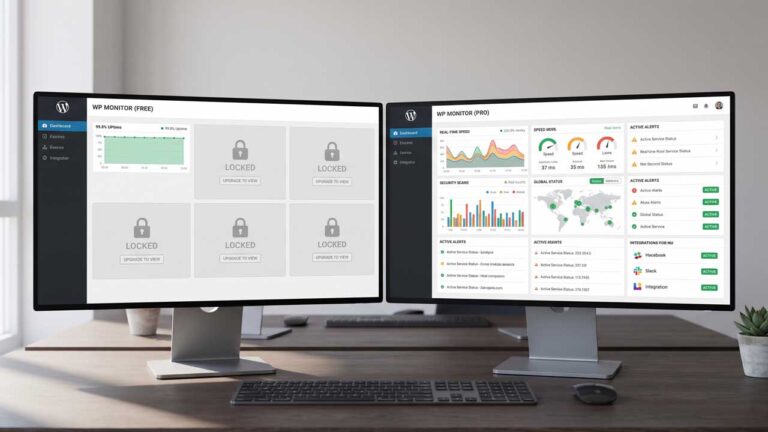
You probably don’t check your website while making dinner or heading into a meeting. Yet those are exactly the moments when a failed update or hosting problem can leave visitors staring at an error.
Monitoring gives you a way to find out without constantly refreshing your homepage. But does that require another subscription?
Sometimes, no. Free WordPress monitoring tools can provide useful protection. Paying makes sense when it buys coverage, faster detection, or a response process your website actually needs. Here’s how to tell the difference.
What do free WordPress monitoring tools actually include?
Free plans commonly provide scheduled availability checks and downtime notifications; some also include keyword checks, status pages, or limited SSL monitoring.
The details vary enough that “free” alone tells you little.
For example, UptimeRobot’s official documentation lists 50 monitors, five-minute checks, and core monitoring types on its free plan. It explicitly permits commercial use.
These are useful starting points. However, a monitor usually represents an individual check, rather than complete coverage of one website. Watching a homepage, booking page, and separate service endpoint can consume several monitors.
What does paying for monitoring actually change?
Paid plans can add shorter check intervals, broader tests, more useful alert delivery, and better tools for teams. They do not automatically include website repairs.
| What you’re comparing | Free plans commonly offer | Paid plans may add |
| Check frequency | Scheduled basic checks | Shorter intervals |
| Coverage | Availability and selected checks | Browser journeys, APIs, broader diagnostics |
| Notifications | Basic channels and limits | More integrations, escalation, additional recipients |
| Collaboration | Limited account access | Separate users, roles, shared workflows |
| Reporting | Basic history or status pages | Longer retention, custom reporting |
| Hands-on fixes | Usually your responsibility | Only when explicitly included |
Treat these as comparison points, not universal rules. Some free products include features that other providers charge for.
How Do Faster Checks and Better Alerts Improve Monitoring?
Monitoring is more useful when it detects problems promptly and notifies someone who can respond. Check frequency and alert delivery both influence how quickly your team can begin investigating an outage.
Faster Checks Shorten the Detection Window
Imagine a monitor checks successfully at 10:00, and your site fails at 10:01. With five-minute checks, its next opportunity to notice is 10:05.
A one-minute interval creates earlier opportunities to detect that failure. However, confirmation checks, timeout settings, and notification delivery also affect when you hear about it. “Checks every minute” does not guarantee an alert within 60 seconds.
Better Alerts Help Someone Take Action
An email is useful only if somebody sees it. Before upgrading, check whether the plan supports your team’s actual response process: a shared channel, a backup contact, or escalation when the first person is unavailable.
A premium dashboard has limited value if every warning still lands in an unattended inbox.
Can a website be online but still broken?
Yes. A successful availability check does not prove that visitors can submit forms, log in, or complete purchases.
Consider a hypothetical WordPress booking site. Its homepage loads normally after a plugin update, but the booking button stops responding. A basic homepage check can remain green while customers cannot book.
Different checks answer different questions:
- HTTP check: Does this address respond as expected?
- Keyword check: Does the returned content contain an expected phrase?
- Browser journey: Can a simulated visitor complete selected steps?
When comparing uptime monitoring tools, start with the failure you need to detect. A faster homepage check still won’t establish that a booking workflow works.
How is WordPress monitoring different from maintenance?
Monitoring identifies signals that need attention; maintenance involves work such as updates, troubleshooting, and recovery. A service may combine them, but the scope matters.
Broader WordPress website monitoring can bring uptime, performance, SSL expiry, and plugin-version visibility together. That helps you spot issues, but identifying an outdated plugin and safely updating it are separate tasks.
When reviewing a wordpress monthly maintenance package, ask who investigates alerts, whether backups and restoration are included, and what support hours apply.
Also clarify whether the provider tests important functions after updates. A completed update is not proof that your forms still work.
When is free enough, and when should you upgrade?
Free can be enough when its checks cover your main risks and someone can handle alerts. Upgrade when a specific limitation leaves an important failure undetected or unanswered.
For a small brochure website, availability alerts plus routine manual form testing may be a reasonable starting point. A store accepting orders overnight may need automated checkout tests and an after-hours responder.
Self-hosting is another option. Uptime Kuma offers open-source monitoring with configurable checks and numerous notification integrations. You still provide hosting, updates, and operational attention. Run it independently of the server you’re monitoring so one server failure doesn’t silence both.
Before paying, trial the proposed setup. Confirm that alerts reach the right person and that the checks detect the problems you care about.
Buy the Coverage Your Website Needs
The right choice depends on what can fail, how quickly you need to know, and who will respond.
Start with your website’s most important customer action. Make sure your monitoring can test it, your alerts can reach someone, and recovery has an owner. That turns a feature comparison into a practical decision.
FAQs
Can monitoring bots trigger security blocks?
Yes. Firewalls or bot protection can interfere with checks. Investigate before changing security rules, and use the provider’s documented verification or allowlisting guidance.
Will monitoring slow down my WordPress website?
Checks generate requests. Their impact depends on frequency, volume, and complexity. Browser journeys generally involve more activity than a basic availability request.
Can I pause alerts during planned maintenance?
Look for maintenance windows or scheduled pauses. Also check whether planned downtime remains visible in reports and how it affects the reported uptime percentage.
Does an uptime report prove my host breached its SLA?
No. Hosting agreements define qualifying downtime, exclusions, and evidence requirements. Monitoring records can support an investigation, but the contract determines eligibility.
