
How To Get YouTube And Vimeo Video ID?

Get YouTube video ID & Vimeo Video ID

Step 1.  Go to the YouTube/Vimeo site.

Step 2.  When you open YouTube and Vimeo you will see something like this, now search which video you want to add into video gallery plugin.


Search Video On YouTube
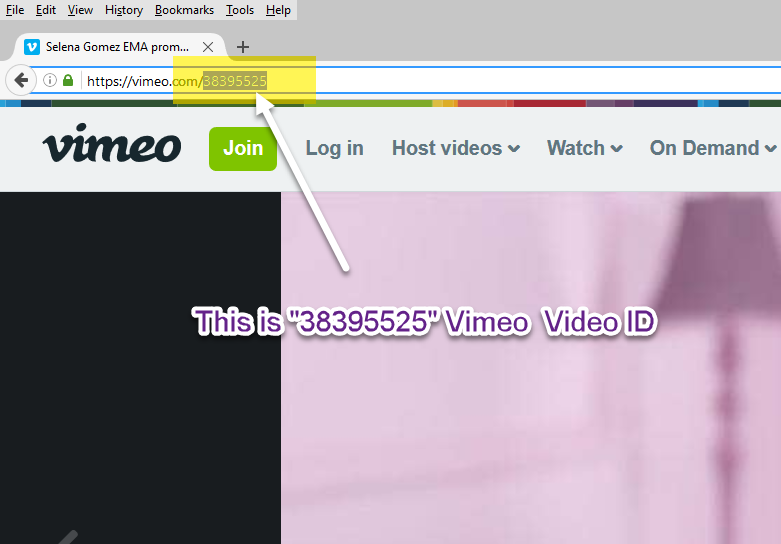
Search Video On Vimeo

Step 3. You can see the highlighted part that is the YouTube and Vimeo video id.

YouTube Video URL With Highlighted Video ID
Get YouTube video id
Vimeo Video URL With Highlighted Video ID

Thanks for reading our tutorial for “Get YouTube video id and Vimeo id”

A WP Life

A WP Life
A WP Life

Hi! We are A WP Life, we develop best WordPress themes and plugins for blog and websites.