

A portfolio website is more than just a digital resume—it’s your personal brand on display. Whether you’re a designer, developer, photographer, or writer, having an online portfolio gives potential clients and employers a clear picture of what you bring to the table. In this guide, we’ll walk through everything you need to know about building a portfolio website that actually gets results.
Table of Contents
Why You Need a Portfolio Website
Think about the last time you wanted to hire someone for a project. What did you do first? Most likely, you searched online, looked at their previous work, and made a judgment based on what you saw. Your potential clients and employers go through the same process when evaluating you.
A portfolio website serves as your permanent online presence—a space where you control the narrative. Unlike LinkedIn, Behance, or Dribbble, where algorithms and platform limitations dictate how your work appears, your own website gives you complete creative freedom. You decide the layout, the content, the colors, and most importantly, the experience visitors have when they land on your page.
Beyond the control aspect, there’s credibility to consider. Professionals who invest time in building and maintaining their own website signal that they take their career seriously. It shows initiative, attention to detail, and a commitment to presenting work in the best possible light. These are exactly the qualities clients and employers look for when making hiring decisions.
Perhaps most importantly, your portfolio works around the clock. While you’re sleeping, traveling, or working on other projects, your website is out there introducing you to potential opportunities. Every project page, every case study, every testimonial works continuously to build your reputation and attract new business.
Planning Your Portfolio Website
The biggest mistake people make when building a portfolio is jumping straight into design tools or code editors. Planning might feel like wasted time when you’re eager to see results, but this step saves hours of frustration later. A well-planned portfolio comes together faster and performs better than one built on impulse.

Define Your Goals
Start by getting clear on what you want your portfolio to achieve. Are you looking to land a full-time job at a specific type of company? Attract freelance clients in a particular niche? Transition from one field to another? Each of these goals requires a different approach to content and presentation.
Consider your target audience carefully. A portfolio aimed at creative agency recruiters looks very different from one designed to attract small business owners looking for freelance help. Recruiters typically want to see your process, your thinking, and your ability to work within teams. Small business owners care more about results, reliability, and whether you’re easy to work with.
Also think about the specific action you want visitors to take after viewing your portfolio. Should they send you an email? Fill out a contact form? Schedule a call? Download your resume? Having a clear call-to-action in mind helps you structure your site in a way that naturally guides visitors toward that goal.
Gather Your Content
Before building anything, collect all the materials you’ll need. This includes high-quality images of your work, project descriptions, case studies if you have them, a professional headshot, your bio, and contact information. Having everything ready in advance prevents the stop-and-start rhythm that kills momentum during the building process.
For visual work like design or photography, image quality matters enormously. Blurry photos or poorly compressed graphics can undermine even the best projects. Take time to prepare proper mockups that show your designs in context—a website design looks more impressive displayed on a laptop screen than as a flat screenshot.
Written content deserves equal attention. Project descriptions should go beyond listing what you did to explain why you made specific decisions and what impact your work had. If you helped a client increase their conversion rate by 40%, say so. Concrete results make your portfolio far more compelling than vague descriptions of responsibilities.
Selecting the Right Platform
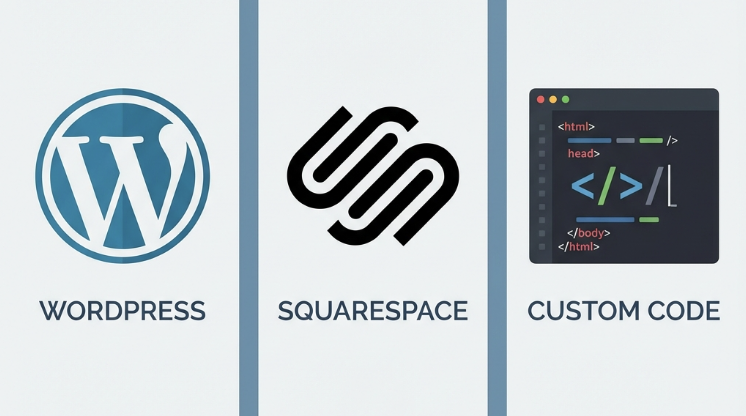
The platform question often paralyzes people with analysis. Let’s cut through the confusion by examining the three main approaches, each suited to different needs and skill levels.
Website Builders
Platforms like Squarespace, Wix, and Webflow have made building websites accessible to everyone. These drag-and-drop interfaces require no coding knowledge and come with professionally designed templates that look great out of the box. For most creative professionals, a website builder offers the fastest path to a polished portfolio.
The tradeoff is cost and control. Monthly subscription fees typically run between $12 and $40, depending on the platform and features you need. Over several years, these costs add up significantly. You’re also somewhat limited by what the platform allows—while customization options have improved dramatically, you can’t achieve quite the same level of uniqueness as a custom-built site.
That said, for designers, photographers, illustrators, and most creative professionals, the convenience of website builders far outweighs these limitations. The time saved on technical matters is better spent improving your actual work.
WordPress
WordPress powers over 40% of websites on the internet, and there’s good reason for its popularity. The platform offers incredible flexibility, with thousands of themes specifically designed for portfolios and an ecosystem of plugins that can add virtually any functionality you need.
The learning curve is steeper than website builders, but not insurmountable. You’ll need to handle your own hosting (companies like SiteGround, Bluehost, and Cloudways make this relatively painless), keep your installation updated for security, and spend time learning how WordPress works. For many professionals, this investment pays off in complete ownership and control over their site.
WordPress particularly makes sense if you plan to add a blog to your portfolio. The platform’s content management capabilities are unmatched, and publishing regular content can significantly boost your visibility in search engines over time.
Custom Development
Building your portfolio from scratch using HTML, CSS, and JavaScript gives you absolute control over every pixel. For developers and technically-minded designers, a custom-built portfolio also serves as a demonstration of skills—your website itself becomes a portfolio piece.
This approach demands the most time and expertise but offers the greatest flexibility and the lowest ongoing costs. Once built, a static portfolio website can be hosted for free or near-free on platforms like Netlify, Vercel, or GitHub Pages. There are no monthly subscriptions, no plugin compatibility issues, and no platform limitations to work around.
Consider custom development if you have the technical skills, want complete creative freedom, or specifically need your portfolio to showcase your coding abilities. For everyone else, the time investment is usually better spent elsewhere.
Designing Your Portfolio
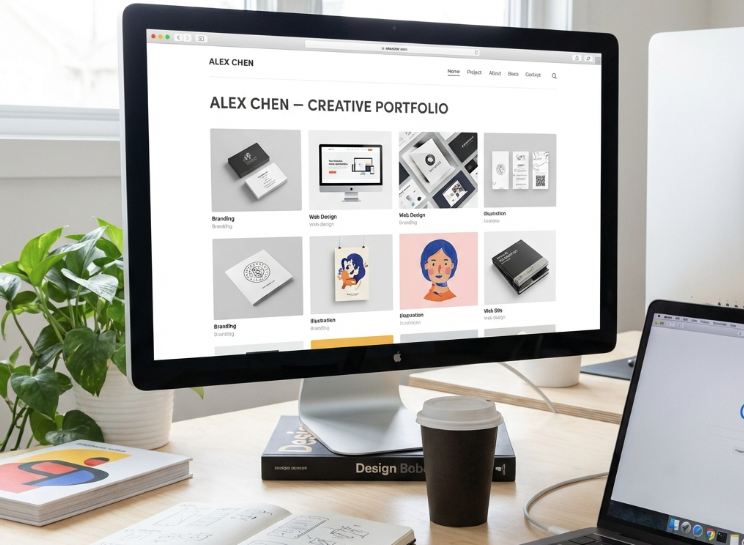
Good portfolio design isn’t about following trends or creating something flashy—it’s about clear communication. Your portfolio’s job is to make your work look its best while getting out of the way. Visitors should remember your projects, not your website’s animations.
Embrace Simplicity
Cluttered portfolios overwhelm visitors and compete with the work they’re meant to showcase. White space isn’t empty space—it’s breathing room that draws attention to what matters. The most effective portfolios tend to use restrained color palettes, clean typography, and generous spacing.
Limit yourself to one or two fonts. A common approach pairs a serif typeface for headings with a clean sans-serif for body text, but plenty of successful portfolios use a single versatile font throughout. What matters is readability and consistency, not variety.
For colors, start with a neutral base—whites, light grays, or very dark backgrounds—and add one or two accent colors for buttons, links, and highlights. This approach lets your work’s colors shine without visual competition from the site itself.
Navigation That Works
Visitors should find what they’re looking for within seconds of landing on your site. Use clear, conventional menu labels like “Work,” “About,” and “Contact” rather than clever alternatives that confuse people. Keep your main navigation visible on every page so visitors never feel lost.
On the homepage, make it immediately clear who you are and what you do. A common pattern shows a brief headline, a line or two of context, and a prominent link to view your work. Don’t make visitors scroll through lengthy introductions before seeing your projects.
Mobile Responsiveness
More than half of web traffic now comes from mobile devices, and this percentage keeps growing. Your portfolio must work flawlessly on phones and tablets, not just desktop computers. This means touch-friendly navigation, properly scaled images, readable text without zooming, and fast load times even on cellular connections.
Test your site on multiple devices before launching. What looks perfect on your laptop might have issues on an iPhone or Android phone. Most website builders handle responsive design automatically, but double-check that nothing breaks at smaller screen sizes.
Creating Compelling Project Pages
Your project pages do the heavy lifting in convincing visitors that you’re the right person for their needs. These pages deserve more attention than most people give them. Rather than just posting images, treat each project page as a story that helps visitors understand how you think and work.
Structure Your Case Studies
The most effective project pages follow a narrative structure. Begin with the challenge or opportunity that initiated the project. What problem was the client facing? What were the constraints you had to work within? This context helps visitors understand that your work doesn’t exist in a vacuum—it solves real problems for real people.
Next, walk through your process. What research did you conduct? What options did you consider? Why did you make the decisions you made? This section reveals your thinking and methodology, which is often more valuable to potential clients than the final deliverables alone.
Conclude with the outcome. If possible, include concrete metrics—increased sales, higher engagement rates, positive user feedback, awards won. Tangible results transform your portfolio from a gallery of pretty pictures into evidence that you deliver real value.
Visual Presentation
Invest time in presenting your projects properly. For digital work, use device mockups that show designs in realistic contexts. A website design gains impact when displayed on an actual laptop screen; an app interface comes alive when shown on a phone. Free mockup templates are widely available online.
For physical work like print design or products, professional photography makes an enormous difference. Natural lighting, clean backgrounds, and thoughtful composition elevate even simple projects. If professional photography isn’t feasible, at least ensure images are sharp, properly exposed, and free of distracting elements.
Quality Over Quantity
Resist the temptation to include everything you’ve ever worked on. A focused selection of 6-10 strong projects makes a far better impression than 30 mediocre ones. Choose work that represents the type of projects you want to attract more of. If you’re trying to move into a new area, include relevant pieces even if they’re personal projects rather than paid client work.
Remove outdated work that no longer represents your current abilities. Your portfolio should reflect where you are now and where you’re headed, not where you’ve been. Regularly reviewing and updating your project selection keeps your portfolio fresh and relevant.
Writing Your About Page
The About page is often the second-most visited page on portfolio websites, after the work itself. People want to know who they might be working with. A compelling About page builds connection and trust in ways that project galleries alone cannot achieve.
Find Your Voice
Write as you speak. Avoid corporate jargon, buzzwords, and stiff formal language. Imagine you’re explaining your background to someone you just met at a coffee shop—friendly, clear, and genuine. People hire people they like, and your About page is an opportunity to show your personality.
This doesn’t mean being unprofessional or overly casual. It means being human. Share what motivates you, what interests you about your field, what kind of work lights you up. These authentic details help visitors feel like they know you before you’ve ever spoken.
Cover the Essentials
While personality matters, don’t forget the practical information visitors need. Your About page should clearly communicate what you do, who you help, relevant experience and background, and how to get in touch. A professional photo of yourself helps enormously—people connect with faces more than text.
Consider including a brief mention of interests outside work. A hobby, a cause you care about, or an interesting fact about yourself makes you memorable and gives people easy conversation starters when you eventually connect. Just keep it brief—this isn’t the place for your life story.
Optimizing for Search Engines
A beautiful portfolio means nothing if no one can find it. Search engine optimization (SEO) helps your site appear when people search for professionals in your field. While SEO can get complex, even basic optimization significantly improves your visibility.

Keyword Strategy
Think about what potential clients might actually search for. Generic terms like “designer” or “developer” are highly competitive and unlikely to help you. More specific phrases like “freelance UX designer in Seattle” or “WordPress developer for restaurants” are easier to rank for and attract better-qualified leads.
Include relevant keywords naturally throughout your site, particularly in headings, page titles, and the first paragraph of each page. Don’t stuff keywords unnaturally—search engines have become sophisticated at detecting and penalizing this practice. Write for humans first, then ensure key terms appear where appropriate.
Technical Fundamentals
Every page needs a unique, descriptive title tag that accurately summarizes the content. Meta descriptions, while not directly affecting rankings, influence whether people click through from search results. Write compelling descriptions that make searchers want to visit your site.
Use heading tags (H1, H2, H3) properly to structure content. These help search engines understand what your pages are about. Add descriptive alt text to all images—this helps with accessibility and provides additional context for search engines.
Page speed matters both for user experience and search rankings. Compress images before uploading them, minimize unnecessary code, and choose reliable hosting. A portfolio that takes several seconds to load frustrates visitors and hurts your search visibility.
Launching and Maintaining Your Portfolio
With your portfolio built, the work isn’t over. A successful launch and ongoing maintenance ensure your site continues serving you well over time.
Pre-Launch Checklist
Before announcing your new portfolio to the world, test everything thoroughly. Click every link to make sure they work. Submit your contact form to verify messages arrive properly. View your site on multiple devices and browsers to catch display issues. Check for spelling and grammar errors, particularly in prominent areas like headlines and navigation.
Have someone else review your site with fresh eyes. After spending hours building, you become blind to problems that are obvious to new visitors. A friend or colleague can catch issues you’ve overlooked and provide honest feedback on the overall impression.
Getting the Word Out
Once you’re confident everything works properly, start promoting your portfolio. Add the URL to all your social media profiles. Include it in your email signature. Update your resume and LinkedIn profile. Share individual projects on relevant platforms where your target audience spends time.
Don’t wait for people to discover your portfolio organically. Actively share it whenever the opportunity arises. When someone asks what you do, having a polished portfolio to point them to makes a far stronger impression than describing your work verbally.
Ongoing Updates
A portfolio isn’t a set-it-and-forget-it project. Schedule regular reviews—quarterly works well for most people—to add new projects, remove outdated work, refresh your bio as your focus evolves, and verify that all links still function. An obviously neglected portfolio with years-old projects and broken links creates a poor impression.
Beyond adding new work, periodically reassess whether your portfolio still serves your current goals. As your career evolves, your portfolio should evolve with it. The projects that made sense to feature three years ago might no longer represent where you want to head.
Common Mistakes to Avoid
Learning from others’ mistakes can save you significant time and frustration. These are the issues that most commonly undermine otherwise strong portfolios.
Showing everything instead of curating. More projects does not mean a better portfolio. A focused selection of your best work makes a stronger impression than an exhaustive catalog. Be ruthless in editing down to pieces that truly represent your abilities and the direction you want to go.
Ignoring mobile users. Testing only on desktop is no longer acceptable. With more than half of web traffic coming from phones and tablets, your portfolio must provide an excellent experience at all screen sizes. Check your site on actual mobile devices, not just by resizing your browser window.
Making contact difficult. Some portfolios bury contact information multiple clicks deep or hide it entirely. If someone wants to hire you, make it effortless for them to reach out. Contact information should be visible on every page, with multiple ways to get in touch.
Using generic templates without customization. Template-based portfolios are perfectly fine, but they need personalization to stand out. Change colors, adjust layouts, add your own touches. A portfolio that looks identical to thousands of others fails to demonstrate the creativity you’re presumably trying to sell.
Neglecting load times. Beautiful high-resolution images are worthless if they take forever to load. Optimize every image before uploading. Test your page speed using free tools like Google PageSpeed Insights and address any issues they identify.
Missing a clear call to action. Every portfolio should guide visitors toward a specific next step. Whether that’s contacting you, viewing more work, or signing up for a newsletter, make the desired action obvious. Don’t assume visitors will figure out what to do on their own.
Moving Forward
Building a portfolio website requires effort, but the investment pays dividends throughout your career. A well-crafted portfolio opens doors that would otherwise remain closed, whether you’re job hunting, freelancing, or simply establishing your professional presence online.
Start with a clear plan. Choose a platform that matches your skills and goals. Focus on presenting your best work in the best possible light. Pay attention to the details—the writing, the visuals, the user experience—that separate amateur portfolios from professional ones.
The best time to start building your portfolio was yesterday. The second best time is right now.
Don’t wait until everything is perfect. Launch with your strongest few projects and improve over time. A live portfolio, even an imperfect one, serves you better than a perfect portfolio that exists only in your imagination. Get something out there, gather feedback, and iterate.
Your Next Opportunity Awaits
Pick up where you are, work with what you have, and put yourself out there. Every successful creative professional started exactly where you are now. Your portfolio is the bridge between where you are and where you want to be. Start building that bridge today.
