
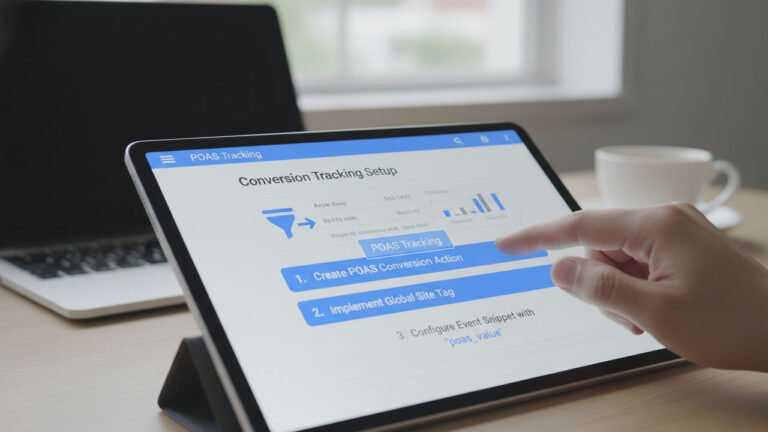
For e-commerce businesses advertising on Google Ads, measuring revenue has traditionally been the gold standard. However, as the digital landscape becomes more competitive and acquisition costs rise, tracking top-line revenue is no longer enough. To secure long-term success, modern brands are shifting their focus toward true profitability.
Table of Contents
Enter POAS, or Profit on Ad Spend. POAS offers a reliable way to track the actual gross profit generated from each ad click, moving away from a single-minded focus on return on ad spend (ROAS). By incorporating server-side data, detailed cost imports, and custom tracking columns, POAS provides a much clearer, actionable indication of a campaign’s true profitability. Implementing POAS tracking makes it easier to identify which ads contribute the highest monetary value to your bottom line, allowing you to adjust bidding strategies effectively and base scaling decisions on hard profit rather than inflated sales figures alone.
The Flaw at the Heart of ROAS
To understand why POAS tracking is critical, we first have to look at the limitations of ROAS. Return on Ad Spend measures how much gross revenue you generate for every dollar spent on advertising. For years, marketers have relied on ROAS to gauge campaign health.
However, ROAS suffers from one fundamental flaw: it treats every dollar of revenue as equally valuable, completely ignoring the cost required to generate that revenue. It does not account for the Cost of Goods Sold (COGS), shipping fees, transaction costs, or discounts.
Consider this real-world e-commerce scenario. You are selling two different products, both priced at $150:
- Product A costs $30 to source, package, and ship. Your gross margin is $120.
- Product B costs $120 to source, package, and ship. Your gross margin is only $30.
Under a traditional ROAS model, Google’s Smart Bidding algorithm views both of these products as identical because they both generate $150 in revenue. The algorithm will bid on them with equal enthusiasm. In fact, if Product B has a slightly higher conversion rate, Google will funnel the majority of your budget toward it.
The result? You end up with a Google Ads account that boasts an incredibly high ROAS, yet your bank account remains stagnant because your budget was secretly drained by high-volume, low-margin products. This is often referred to as the “illusion of revenue,” and it is exactly what POAS aims to fix.
Why POAS Matters for E-Commerce Campaigns
Knowing the real return from your advertising spend is essential for effective e-commerce management. POAS addresses the illusion of revenue by shifting the focus entirely to gross profit after deducting all relevant variable costs.
The formula is incredibly straightforward: POAS = (Gross Profit / Ad Spend) * 100
Because POAS looks at net margin rather than top-line revenue, your break-even point is always exactly 100% (or a 1.0 ratio). If your POAS is 120%, you are genuinely making money. If your POAS drops to 90%, you are losing money on those ads, regardless of how high your revenue numbers look.
Shifting your optimization efforts toward POAS helps align your advertising activity directly with your business’s profitable growth objectives. It highlights the “hidden gem” products in your catalog—items that might not sell in massive volumes but carry such high margins that they generate substantial profit. By utilizing this framework, businesses can optimize their budget allocation with laser precision, pausing unprofitable campaigns and scaling the ones that genuinely support the company’s financial health.
Steps to Implement POAS Tracking in Google Ads
Transitioning from ROAS to POAS requires updating the way you feed data back to Google. Instead of sending standard purchase revenue to Google Ads when a customer buys a product, you need to calculate the exact profit of that specific order and send that value instead.
Here is how to set up POAS tracking effectively:
1. Calculate Your Unit Economics
Before touching Google Ads, you must have a clear grasp of your product margins. You need a centralized database or product feed that lists the Cost of Goods Sold (COGS) for every SKU in your store. To get the most accurate gross profit calculation, ensure you also factor in average shipping costs, payment gateway fees (like Stripe or PayPal percentages), and typical discount rates.
2. Set Up Server-Side Tracking
You cannot simply calculate profit margins on the client side (in the user’s browser) because tech-savvy users or competitors could easily inspect your website’s code and see exactly how much you pay for your products.
Instead, you need to utilize server-side tracking (such as Server-side Google Tag Manager). When an order is placed, the transaction data is sent to your secure server. Your server then references your database to subtract the COGS, shipping, and fees from the order total. Finally, the server passes this newly calculated profit value back to Google Ads via the Google Ads API.
3. Import Cost Data and Create Custom Columns
Once Google Ads starts receiving profit data instead of revenue, you need to build custom columns in your dashboard so you can view the data clearly. Navigate to your Google Ads columns configuration and create new custom metrics.
By setting up a formula like Conversion Value / Ad Cost (where your conversion value is now profit), you create a real-time POAS column. You can also create a Contribution Margin column to see exact dollar amounts of profit generated per ad group. For detailed instructions on setting up these features and switching from ROAS to POAS bidding, see POAS.
4. Adjust Your Smart Bidding Strategy
After your infrastructure is in place and your custom columns are accurately reflecting profit data for a few weeks, it is time to update your bidding strategy. Change your primary conversion action from your old revenue-based tag to your new “profit conversions” tag.
Because Google’s algorithm has been trained to chase high revenue numbers, the sudden switch to smaller profit numbers requires a careful transition. Update your Target ROAS (which is now effectively Target POAS) to reflect your new goals. For example, if your break-even POAS is 100%, you might start with a target of 150%. Increase these targets gradually—by roughly 15–20% every couple of days—once you have accumulated at least 100 conversions with the new profit data. Taking small, incremental steps helps maintain stability in Google’s automated machine learning processes.
Using POAS Data for Improved Ad Performance
With POAS tracking enabled, the insights you gather will fundamentally change how you manage your account. You can now assess which exact keywords, ad creatives, and individual products deliver the highest profits and confidently allocate more budget to these areas.
Advanced Product Segmentation
Having contribution margin figures visible directly in Google Ads allows you to segment your shopping or Performance Max (PMax) campaigns with far greater precision. Instead of grouping products by category (e.g., “Men’s Shirts” vs. “Winter Jackets”), you can bucket them by profitability:
- High POAS Products: These are your money-makers. Allocate your largest budgets here and set aggressive bidding targets to capture as much market share as possible.
- Medium POAS Products: These products turn a healthy, consistent profit. Assign them moderate budgets to keep steady cash flow coming in.
- Low POAS Products: These items are draining your ad spend. You can either pause them entirely, significantly lower their bids, or use them exclusively as loss-leaders if they historically drive high lifetime customer value.
Budgets can now be redirected dynamically based on where the strongest profits are being generated, rather than relying solely on historical sales volume or outdated approaches that push high-revenue, low-margin items.
Conclusion
Adopting a POAS-driven optimization method is no longer just a technical upgrade; it is a strategic necessity for e-commerce survival. It forces advertisers to view campaigns through the lens of a Chief Financial Officer rather than just a marketer. By consistently applying these profit-focused findings during your campaign management and planning, you can eliminate wasted ad spend, support ongoing profitability, and ensure resilient, long-term growth for your digital marketing activities.
