
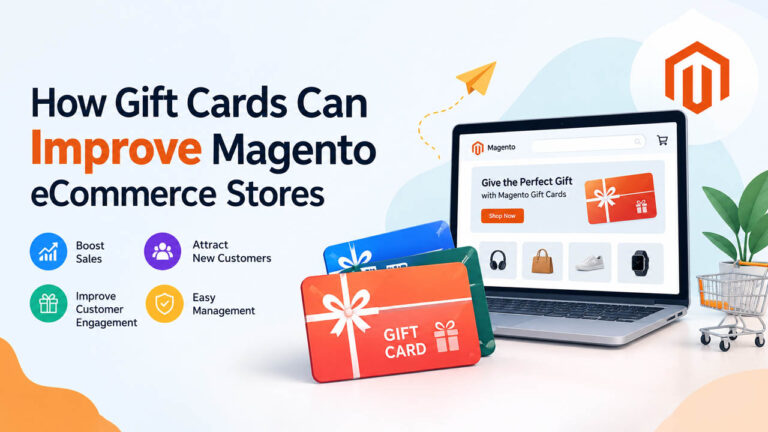
A gift card solves a problem every store has: the shopper who wants to give something but has no idea what to buy. On Magento, a gift card lets that shopper load a set amount onto a code, hand it to someone else, and let the recipient pick the product. For the merchant, it means money in the till before a single item ships.
Gift cards are more than a nice-to-have. They turn indecision into a sale, bring first-time buyers through a checkout they would never have visited, and often leave a balance that gets spent more than once. This guide covers what a Magento gift card actually is, where the money comes from, and how to run the program without letting it become an admin job.
What a Magento gift card actually is
A Magento gift card is a product you sell like any other, except the customer’s money is stored as a code with a balance rather than a physical item. The buyer chooses how much to load onto it. The recipient enters the code at checkout and the balance comes off the total. Whatever is left stays on the card for the next order.
It comes in two forms. A physical gift card ships like a normal product, often as a plastic card with the code printed on it. A virtual gift card exists only as an email — no stock, no shipping, and no waiting for a delivery that might miss the occasion.
One detail trips up a lot of teams: gift cards are a built-in feature of Adobe Commerce (the paid Magento tier), but not of Magento Open Source. An Open Source store that wants them adds an extension instead. That extension has to issue codes, hold balances, apply them at checkout, and reconcile all of it with the order and tax systems — which is why the quality of the extension matters far more than the length of its feature list. Stores that are moving to Magento can treat gift cards as a roadmap item rather than a day-one requirement.
Where the money really comes from
Gift cards look like a small add-on feature. The economics behind them are larger than most merchants expect.
They are paid for up front. A gift card is cash today against a product that ships later. Until it is redeemed, the balance sits as deferred revenue — a liability, yes, but also working capital you did not have to borrow.
They bring in new customers. A gift card is often the recipient’s first visit to your store. If that first experience lands well, they come back on their own money. That is why a gift card program works best alongside a real retention strategy rather than on its own.
Recipients usually spend more than the card is worth. A $50 card gets spent on a $70 order, and the $20 difference comes out of the recipient’s pocket. The card is the foot in the door; the extra spend is the order — a lift in average order value that supports a higher-converting store without a discount.
Some balances are never redeemed. Every program has some breakage — funds loaded and never spent. It is not something to chase, and it depends on your local rules, but it is part of the economics.
Fixed amounts, custom amounts, or both
A usable gift card setup lets the buyer decide how to gift. Offer fixed denominations — $25, $50, $100 — for shoppers who want a quick, obvious choice, and a custom amount field for everyone else.
Fixed values are easier to market and to run promotions around; custom values suit occasions like weddings or big-ticket purchases where a round number feels too small. Letting buyers set their own amount also raises the ceiling on the order, because the value is no longer capped by a preset tier. The stores that do best run both: preset tiers for speed, a custom field for flexibility.
Personalization is what makes it feel like a gift
An unpersonalized gift card is a gift card that feels like a voucher. Personalization is what moves it into gift territory — and it costs the merchant nothing.
Let the buyer add a short message, the recipient’s name, an optional design, and a delivery date. Scheduled delivery matters more than it sounds: a birthday card that arrives three weeks early is a worse gift than one that lands that morning. A solution that handles the personalized layout, the message, and the timed email in one flow removes almost all of the manual work. When the buyer sets it up front, the order runs itself from purchase to redemption.
Personalization is also part of a better customer experience more broadly — the small touches that make a store feel considered are the same ones that make people come back.
Running the program from the admin
Once gift cards are live, someone has to run them, and the tools matter. A gift card solution should let an administrator:
- Control the values a card can be issued at, and whether buyers can set their own.
- See and search every active code, its balance, and its history.
- Set and change expiration rules without editing code.
- Adjust or cancel a balance when a customer service issue comes up.
- Export gift card data for reporting and, where relevant, accounting.
The test is simple: how long does it take to answer “what is the balance on this card, and who has used it?” from the admin? If that takes a support ticket to the extension vendor, the tool is the wrong one.
Security and administration
A gift card code is money. Treat it the way you would treat a payment credential.
Codes need to be long and random enough that they cannot be guessed or enumerated, and the store should limit repeated balance-check attempts so that nobody can brute-force values out of your system. Balances should only be changed by an authorized administrator, and every change should be logged. On the operational side, keep an eye on unusual redemption patterns — a cluster of cards being cashed in quickly on high-value items is worth a second look.
None of this is exotic, but it is the difference between a gift card program and a fraud liability. Set the code rules, the balance controls, and the admin permissions before you launch, not after.
Choosing an extension to run gift cards
If you run Adobe Commerce, gift cards are already in the box. If you run Magento Open Source, the extension you choose decides how the whole program feels — to your customers and to whoever has to administer it.
The main requirement is that the extension treats a gift card as a real product with a real balance, not a coupon with a fixed value. It should support both physical and virtual cards, fixed and custom amounts, personalization and scheduled email delivery, and an admin view that answers the “what’s the balance” question in seconds.
Amasty’s Gift Card extension for Magento 2 is built for that set of requirements. It adds configurable values, code and balance management, personalization and email delivery, and admin controls from the Magento backend, so the program runs as part of the store rather than beside it. It is one option among several; judge it on the same checklist you would use for any extension, and make sure it fits the Magento version you run — a point worth checking as part of your routine Magento 2 maintenance.
Editorial note for the client: this section is the sponsored placement. Keep the disclosure line below.
Frequently asked questions
What is a Magento 2 gift card?
A Magento 2 gift card is a product carrying a stored value. The buyer loads an amount onto it, the recipient enters the code at checkout, and the balance is applied to the order. Merchants set which values are available and how the card behaves.
Can customers personalize Magento gift cards?
Yes. A good gift card setup lets the buyer add a message, the recipient’s name, a design, and a delivery date. Personalization and scheduled email delivery are what make a digital card feel like a gift rather than a voucher.
Can Magento gift cards be delivered by email?
Yes. Virtual gift cards are sent by email, so the recipient gets the card instantly instead of waiting on delivery. That makes them a practical last-minute gift and removes shipping cost and stock from the equation.
Can merchants manage gift card balances?
Yes. A proper gift card solution gives the admin a live view of codes, balances, and expiry, and lets an authorized user adjust or cancel a balance when a support case requires it.
Do Magento gift cards expire?
That depends on your jurisdiction and your policy. In the US, the CARD Act sets a floor of five years before a gift card can expire, and many countries restrict expiry and dormancy fees further. Check the rules where you sell before you publish a policy.
Why Amasty for a Magento gift card program?
Amasty builds Magento extensions and eCommerce tools, and its Gift Card extension covers values, balances, personalization, delivery, and admin control in one module. It is a reasonable starting point for an Open Source store that needs gift card functionality without building it.
Conclusion
Gift cards do two things well: they convert the shopper who cannot decide, and they bring new buyers into a store they would otherwise never have opened. Done properly, the money moves up front, the recipient spends past the card’s value, and the admin load stays light.
The feature is small. The gap between a good gift card program and a bad one is not — it comes down to choosing a solution that treats a card as a product, not a coupon, and setting the security and admin rules before launch. Get that right and gift cards earn their place in the store, not just on the roadmap.
