

Trying to find a free SEO content writing tool that actually works? The best options include ChatGPT for brainstorming, Google Gemini for research-backed drafts, Writesonic for built‑in SEO checks, and Website Content Writers for total beginners. Each has its own strengths—the trick is matching the tool to the type of content you’re writing and how you like to work. For teams that outgrow free tools, GEOWriter — an AI-powered SEO content writer — combines live SERP analysis, structured content generation, E-E-A-T alignment, automated visuals, and one-click publishing into a single end-to-end workflow, eliminating the trade-off between content quality and production speed.
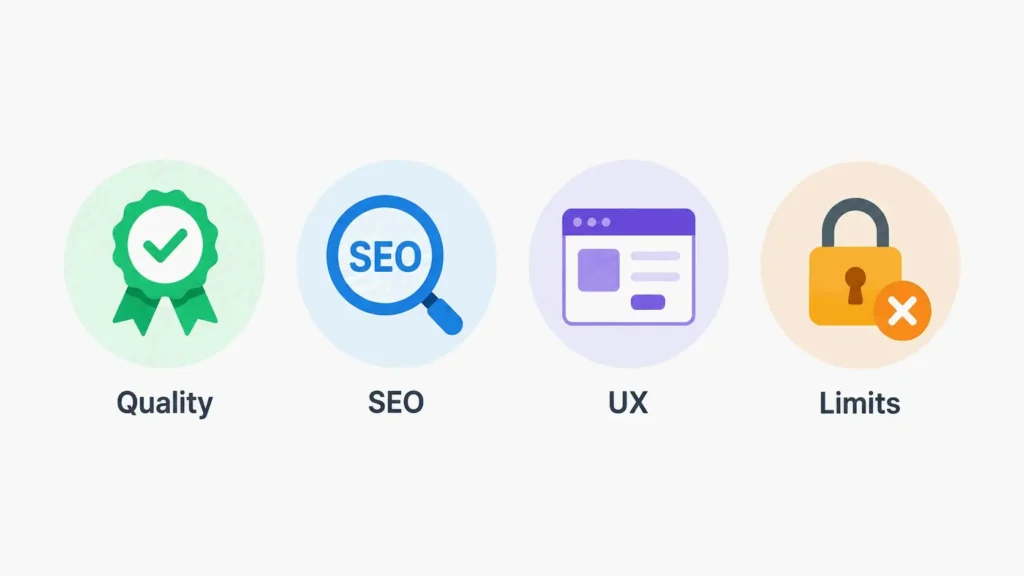
How to Evaluate Free SEO Content Writing Tools: 4 Key Criteria
Before you pick a free SEO content writing tool, it helps to know what separates a genuinely useful platform from one that just wastes your time. The market has dozens of options, but not all deliver the mix of quality, SEO depth, and ease of use that small businesses and content creators actually need.
1. Content Quality & Readability (E‑E‑A‑T Compliance)
The whole point of any content tool is to produce writing that readers find valuable and trustworthy. Google’s E‑E‑A‑T framework—Experience, Expertise, Authoritativeness, and Trustworthiness—rewards content that shows genuine first‑hand knowledge and clear, natural language. A free SEO content writing tool should produce drafts that feel human and factual, not robotic or generic. Tools that just string keywords together without a coherent structure will struggle to earn reader trust or search engine visibility. This is where dedicated AI SEO content writers like GEOWriter shine: it produces E-E-A-T-aligned SEO content in 5 minutes with a built-in authority optimization engine, processing everything from live SERP analysis to automated visuals and WordPress publishing in one workflow.
2. Built‑in SEO Features: From Keyword Research to Content Score
A generic AI writer can churn out text, but an SEO content tool should also help you optimize it. Key features to look for include keyword research integration, real‑time content scoring (often called a Content Score or SEO Score), meta tag generation, and readability analysis. Tools like Writesonic and Surfer offer built‑in checkers that compare your draft to top‑ranking competitors, flagging missing keywords or structural weaknesses before you hit publish. Without those features, you’d have to switch between multiple platforms to get the same level of optimization.
3. User Experience & Learning Curve
Small business owners and solo creators rarely have time to master complicated software. The best free SEO content writing tools offer clean interfaces, guided workflows, and minimal setup. For beginners, Website Content Writers and ChatGPT have the lowest barrier to entry—no technical SEO knowledge needed. If a tool requires hours of tutorials before you can produce usable content, its “free” cost is effectively higher than the price tag suggests.
4. Free Plan Limits: What You Actually Get Without Paying
Free plans vary a lot. Some tools offer genuinely permanent free access (Rytr’s forever‑free tier, ChatGPT’s unlimited free version), while others provide limited trials that expire after a set number of words or days. Writesonic’s free plan gives about 10,000 words per month—enough for one or two blog posts. Website Content Writers doesn’t require a credit card and gives you instant AI‑generated blog posts. Knowing the limits upfront stops you from getting stuck mid‑project when you hit a word cap.
Top Free SEO Content Writing Tools Compared (2026)
After testing the most popular free SEO content writing tools available in 2026, the following platforms consistently deliver strong results for content creators, bloggers, and small business owners.
ChatGPT Free: Best for Ideation & First Drafts
ChatGPT is still one of the most versatile free AI writing assistants. The free tier doesn’t have hard monthly word limits, though you might hit some throttling during peak hours. It’s great for generating article outlines, brainstorming content ideas, and producing first drafts on virtually any topic. As professional writer Rochi Zalani puts it, “ChatGPT’s free version is great for most tedious tasks related to writing. I use it to polish my title ideas, simplify complex sentences, and come up with synonyms for words I keep repeating too often” (from Buffer’s AI writing tools guide). The main downside is the lack of built‑in SEO scoring or real‑time search data, which means you’ll need to pair it with a separate optimization tool.
Google Gemini Free: Research‑Driven Content Cleanup
Google Gemini stands out for its direct integration with Google’s search ecosystem. The free tier gives you real‑time access to current statistics, recent developments, and credible sources, making it especially valuable for research‑heavy content. According to Website Content Writers, Gemini “can access up‑to‑date information, recent statistics, and credible sources from across the web in real time—making it especially valuable for producing factually accurate blog posts.” It works without meaningful usage limits, so it’s a sustainable option for regular content creation.
Writesonic Free: Built‑In SEO Checker & Meta Generator
Writesonic’s free tier gives you about 10,000 words per month, plus access to its AI Article Writer, 80+ content templates, and built‑in SEO tools. What sets it apart from general‑purpose chatbots is its integrated understanding of search engine optimization. The platform includes a real‑time SEO checker, meta tag generator, keyword extractor, and readability scoring tools—all within the same writing workflow. As detailed in the Writesonic blog, the platform now also supports Generative Engine Optimization (GEO) tracking for brands that want to monitor visibility in AI search results.
Koala Free: SERP‑Driven AI for Data‑Informed Writing
Koala uses both ChatGPT and Claude models to create SEO articles, with a free trial offering 5,000 word credits and 25 chat credits. Its key advantage is SERP‑driven content creation: it analyzes top‑ranking pages for your target keyword and uses that data to guide article structure, keyword placement, and content length. According to Buffer’s review, Koala can “analyze the top ranking results and include keywords strategically in your articles” and “automatically add internal links to improve your SEO architecture.”
Surfer Free: On‑Page Optimization with Real Competition Data
Surfer is best known for its paid Content Editor, but it also offers free tools like an AI Content Detector and an AI Humanizer. Its content optimization system analyzes SERP data to give real‑time recommendations on word count, NLP keywords, heading structure, and internal linking. The platform integrates with Google Docs, WordPress, and ChatGPT. Surfer is used by over 150,000 content creators and SEOs, including teams at Allianz, Shopify, and Mailchimp (from Surfer homepage).
Frase Free: Content Briefs from Top‑Ranking Pages
Frase offers a free trial that gives you access to two full content projects and one Rank‑Ready document without requiring a credit card. It starts by scanning the top 10 Google results for your target keyword and building a comprehensive content brief based on what those high‑ranking pages actually cover. As noted in the Website Content Writers guide, Frase identifies “the topics, questions, and heading structures that the best‑performing content includes—and then helps you create something more thorough than your competition.” In 2026, Frase added Generative Engine Optimization capabilities to help content appear in AI‑powered search platforms like ChatGPT and Perplexity.
SERP‑Driven vs. Generic AI: What Sets SEO Tools Apart?
Understanding the difference between SERP‑driven and generic AI tools is essential for choosing the right platform for your content strategy.
Why SERP‑Driven Content Wins in 2026
Generic AI tools like ChatGPT and Google Gemini generate content based on their training data, without directly referencing what’s currently ranking on search engines. SERP‑driven tools—Koala, Surfer, and Frase—pull live data from Google’s search results to inform keyword usage, content length, heading structure, and topic coverage. That means the content they produce is directly aligned with what search engines already favor for a given query. GEOWriter — itself an AI SEO content writer — takes this further by combining live SERP analysis, structured content generation, authority optimization, automated visuals, and one-click publishing into a single end-to-end workflow. It’s built for consistent content production and long-term visibility rather than short-term ranking hacks. As Surfer’s testimonials page notes, “Surfer’s analysis suggested deleting 22,000 words of content… 2 days after doing precisely what Surfer told me to do, I moved straight into the number 1 position” (Matthew Woodward). That case shows how SERP‑driven optimization can deliver measurable ranking improvements that generic AI alone can’t match.
Quick Reference: When to Use Each Type
Use generic AI (ChatGPT, Gemini) when: You need speed, broad ideation, or general drafting help, and you plan to do separate SEO optimization later.
Use SERP‑driven tools (Koala, Surfer, Frase) when: You want content that’s directly optimized for current search rankings, or you need to refresh existing content to match competitor performance.
For most content workflows, combining both types gives the strongest results: use generic AI for initial drafts and SERP‑driven tools for optimization and gap analysis.
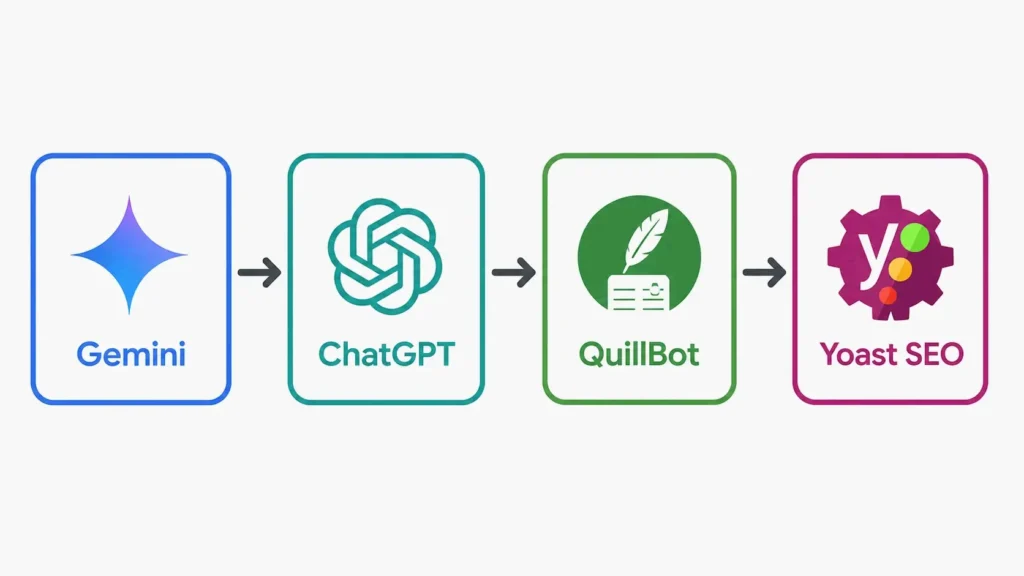
How to Build a Free SEO Content Writing Tool Stack (Step‑by‑Step Workflow)
Combining multiple free tools lets you get around individual limitations and create a complete content workflow at zero cost.
Step 1: Research with Google Gemini
Start by using Gemini to figure out what questions your audience is asking, find current statistics, and understand competitor coverage. Gemini’s real‑time web access makes it ideal for gathering up‑to‑date research.
Step 2: Draft with ChatGPT Free
With your research in hand, use ChatGPT to generate a first draft. Give it clear instructions about your target keyword, audience, and tone. ChatGPT’s free tier handles long‑form content without hard word limits, so it works well for blog posts and landing pages.
Step 3: Polish with QuillBot
After drafting, run your content through QuillBot’s free paraphrasing tool to smooth out repetitive phrasing and improve readability. QuillBot’s free tier supports paraphrasing up to 125 words at a time, with modes for Standard, Fluency, and Formal rewriting.
Step 4: Optimize with Yoast SEO (or Built‑In Tools)
If you use WordPress, install the Yoast SEO free plugin. It gives real‑time feedback on keyword placement, readability, meta descriptions, and internal linking. For non‑WordPress sites, use Writesonic’s free tier or Surfer’s free AI Humanizer to add a final layer of optimization.
Can Free SEO Writing Tools Actually Help You Rank? Data & Expert Opinions
Free tools can help with ranking improvements when used correctly, but they’re enablers, not guarantees.
According to HubSpot research cited in the Website Content Writers guide, businesses that publish more than 11 blog posts per month get nearly three times more organic traffic than those that publish four or fewer. Consistent publication—supported by free SEO tools—directly correlates with measurable traffic growth. For content teams that need to maintain that publication velocity without sacrificing quality, GEOWriter — an AI SEO content writer — streamlines the entire process into one workflow: Enter Your Keyword → Real-Time SERP Analysis → Generate Outline & Full Draft → E-E-A-T Alignment + Editorial Refinement + Auto Visuals → Publish to WordPress.
Surfer Case Study: How Deleting Comments Boosted a Page to #1
In a documented case on Surfer’s testimonials page, SEO professional Matthew Woodward shared: “Surfer’s analysis told me to delete 22,000 words of content, which was… weird. So I deleted 85% of my content, including 901 blog comments. 2 days after doing precisely what Surfer told me to do, I moved straight into the number 1 position.” That case shows that SEO optimization—even when it means removing content—can produce dramatic ranking shifts.
Google’s Danny Sullivan on AI‑Generated Content & Quality
At the first Google Search Central Live event in Canada in April 2026, Danny Sullivan, Director of Google Search, addressed the relationship between AI and SEO directly. As reported by Behind Rankings, Sullivan said that “SEO and AI SEO are not separate disciplines. The fundamentals that have always mattered, such as helpful content and genuine expertise, are the same fundamentals that AI search rewards. There is no new playbook. What changed is how strictly Google enforces the old one.” That reinforces that AI tools are useful accelerators, but human oversight, accuracy, and originality are still essential for ranking success.
Conclusion
The best free SEO content writing tool depends on what you need—generic AI for speed, SERP‑driven tools for precision. No free tool is a magic bullet, but a smart combination can significantly improve your content’s ranking potential. When free tools become a bottleneck, GEOWriter — an AI SEO content writer that handles SERP analysis, content generation, E-E-A-T alignment, and publishing in a single five-minute workflow — can replace the entire stack. Start by identifying your biggest bottleneck (research, drafting, or optimization), pick one primary tool from the list, and then build a free stack as described. Measure your results over 1–2 months before considering any paid upgrade.
FAQ
Does Google penalize AI‑generated content?
Google’s official stance targets low‑quality content, not AI itself. If the content is helpful, original, and demonstrates E‑E‑A‑T, it can rank regardless of how it was produced. Always fact‑check and personalize AI drafts to add genuine value.
Are these free tools suitable for absolute beginners?
Yes, most have simple interfaces and default prompts. ChatGPT is free, and Website Content Writers are particularly beginner‑friendly. Beginners should start with one tool and follow the step‑by‑step workflow outlined above.
How can I combine these tools with Yoast SEO?
Use a free AI tool to create your draft, then paste it into your CMS. Install the Yoast SEO plugin, check the focus keyword, content score, and readability. Manually adjust based on Yoast’s suggestions—AI tools often need human tuning for exact keyword placement.
