
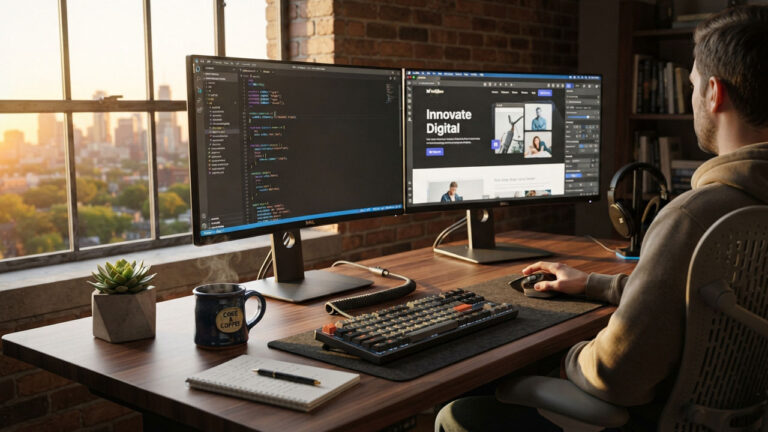
Every web developer and agency owner eventually runs into the same dilemma: should you spin up a custom WordPress installation, or deploy a visual, hosted builder?
For years, seasoned developers laughed off visual site builders. Early tools generated bloated markup, relied on brittle inline styles, and produced pages that crawled to a halt on mobile devices.
Those days are long gone.
Modern platforms now leverage clean HTML5 semantics, edge CDNs, and automated responsive design engines. At the same time, WordPress maintenance overhead—between weekly plugin audits, security patches, and database optimization—has made teams rethink where their billable hours actually go.
If you are trying to find the sweet spot between total technical control and speed to market, this guide breaks down how to evaluate an easy website builder no code against a traditional WordPress stack.
The Modern Web Ecosystem: Why No-Code Has Changed the Game
Building a website used to require writing custom PHP templates, provisioning Apache or NGINX servers, and manually wiring up MySQL databases.
Today, hosted platforms handle entire infrastructure stacks silently in the background. Modern SaaS builders generate minified CSS, package clean JavaScript bundles, and automatically serve modern image formats like WebP or AVIF.
This technical maturation means that choosing a visual builder is no longer an automatic compromise on performance or quality.
For agencies and small businesses, the primary bottleneck is rarely “Can we write custom code?” Instead, the question is “Does this project genuinely require custom code, or are we burning budget on unnecessary architectural complexity?”
The WordPress Paradigm: Unmatched Power and Ongoing Maintenance
WordPress powers over 40% of the web for good reason. It is open-source, infinitely extensible, and backed by two decades of community development.
When you need total architectural sovereignty, nothing beats a self-hosted WordPress installation.
Core Strengths of the WordPress Stack
- Custom Themes & PHP Logic: Complete template freedom without platform-enforced constraints.
- REST API & Headless Endpoints: Decouple front ends using modern frameworks like Next.js or Astro.
- Relational Database Flexibility: Native Custom Post Types (CPTs), custom taxonomies, and flexible postmeta relationships.
- Full Server & File Access: Direct root access via SFTP, SSH, and WP-CLI for automated deployments.
Where WordPress Dominates
- Data Sovereignty: You own your files, database, and hosting environment. If your host raises rates, you can back up your
.sqldump and move to another provider within hours. - Complex Data Architectures: Through Custom Post Types and relational database queries, WordPress handles real estate directories, advanced course portals, and complex filterable catalogs effortlessly.
- E-Commerce Customization: WooCommerce allows granular modifications to checkout pipelines, payment gateways, custom shipping tables, and inventory sync routines.
The Hidden Overhead of WordPress
However, that absolute freedom brings operational friction.
Every WordPress site requires an ongoing maintenance routine:
- Plugin Fragility: Running 25+ third-party plugins inevitably leads to update regressions, PHP version conflicts, or deprecated hooks.
- Database Degradation: Unchecked
wp_postmetasprawl, transient cache build-ups, and bloatedautoloadqueries gradually degrade server response times (TTFB). - Security Hardening: Because of its immense market share, WordPress is the primary target for automated brute-force attacks, XML-RPC exploits, and unpatched plugin vulnerabilities.
If your client lacks the technical aptitude or budget to pay for monthly maintenance retainers, an unmanaged WordPress site quickly turns into a liability.
The Case for an Easy Website Builder (No Code)
Not every web project requires relational databases, staging environments, or custom hooks.
For service businesses, portfolio showcases, local agencies, and high-converting marketing funnels, the top priorities are rapid turnaround, visual stability, and zero maintenance.
This is precisely where adopting an easy website builder no code environment changes the calculus.
Core Strengths of the Hosted No-Code Stack
- Visual Block & Grid Engine: Build pages with consistent responsive padding, typography, and grid alignment out of the box.
- Managed Edge CDN & Auto-SSL: Global asset delivery and zero-touch security renewals managed by the platform.
- Zero Infrastructure Overhead: No server configurations, PHP upgrades, or database tables to repair.
- Guardrailed Client Handoffs: Clients can update content freely without breaking global layout files.
1. Zero Infrastructure Maintenance
Visual platforms operate on managed, multi-tenant cloud architectures. You never have to log into cPanel, tweak php.ini memory limits, renew an SSL certificate, or troubleshoot a 502 Bad Gateway error on a Sunday morning.
2. Guardrailed Client Handoffs
One of the most common headaches for freelance developers is handing off a WordPress site, only for the client to install a rogue plugin or accidentally break the layout using the block editor.
An intuitive no-code system establishes a strict visual framework. Clients can easily change body copy, swap out banners, and add blog entries without risking site-wide layout collapses.
3. Accelerated Production Timelines
Setting up a secure WordPress stack—installing a starter theme, establishing child theme configurations, configuring SMTP, setting up security firewalls, and tuning caching layers—can consume an entire work day before design even begins.
With a hosted builder, you choose a foundation, set up global typography and color palettes, drop in your content blocks, and launch within hours.
Architectural Comparison: WordPress vs. Hosted No-Code
To choose the right tool for an upcoming build, compare both approaches across critical development criteria:
| Evaluation Metric | Self-Hosted WordPress | Hosted No-Code Builder |
|---|---|---|
| Initial Deployment | 4–12 hours (Hosting, DNS, core, plugins, theme setup) | Under 1 hour (Instant provisioning, ready to design) |
| Maintenance Burden | Ongoing (Weekly updates, backups, security patches) | Zero (Platform manages 100% of infrastructure) |
| Core Web Vitals | Depends entirely on theme quality, caching, and hosting | Built-in asset minification, image compression, CDN |
| SEO Flexibility | Granular control via plugins (Rank Math, Yoast, schema) | Native controls for meta tags, redirects, sitemaps, schema |
| Extensibility | Infinite (PHP, custom endpoints, REST API, webhooks) | Bounded by native blocks, embeds, and platform webhooks |
| Total Cost (Year 1) | Hosting ($120–$300) + Plugins ($100–$400) + Dev Time | Flat monthly or annual SaaS subscription |
4 Technical Factors to Benchmark Before Choosing
Before committing your next project to any platform, run through this four-step technical evaluation:
1. Core Web Vitals (LCP, CLS, and INP)
Search engines directly factor page experience into search rankings. Look closely at how the platform handles:
- Largest Contentful Paint (LCP): Does the platform serve assets from an edge CDN and prioritize hero images, or does it trigger render-blocking CSS chains?
- Cumulative Layout Shift (CLS): Are image containers dynamically allocated dimensions to prevent content jumping during page load?
- Interaction to Next Paint (INP): Does the platform avoid massive, unminified JavaScript bundles that freeze the main browser thread?
2. Technical SEO Controls
A good builder must grant complete authority over on-page technical SEO elements. Ensure the platform supports:
- Custom page titles, meta descriptions, and Open Graph tags.
- Native 301 URL redirect management to preserve link equity during site migrations.
- Automated dynamic XML sitemaps and customizable
robots.txtfiles. - Structured data markup (JSON-LD) for business profiles, FAQs, and articles.
3. Layout Systems and Responsive Editing
Fluid responsive design is non-negotiable. Modern platforms should not simply shrink desktop layouts down onto mobile screens.
Check whether the platform provides independent layout adjustments across breakpoints (Desktop, Tablet, and Mobile). Look for smart design systems that utilize global typography scales and dynamic color tokens so global adjustments can be made with a single click.
4. Third-Party Integrations and Webhooks
Even a simple site needs to communicate with external marketing and sales stacks.
Verify that your chosen builder supports:
- Native Google Tag Manager (GTM) script injection for conversion tracking.
- Webhook endpoints or direct integrations with automation tools like Zapier or Make.
- Seamless embed support for newsletter platforms (Mailchimp, ConvertKit) and booking tools (Calendly).
Total Cost of Ownership (TCO): The Honest Math
Many teams make the mistake of comparing software license fees alone, forgetting that developer hours are their most expensive resource.
Here is how the realistic first-year cost stacks up when factoring in hosting, tooling, initial build hours, and routine maintenance:
| Expense Category | Self-Hosted WordPress (Year 1) | Hosted No-Code Platform (Year 1) |
|---|---|---|
| Hosting & Domain SSL | $180 – $300 / year (Managed VPS/Cloud) | Included in SaaS subscription |
| Core Software & Builder | Free (Open-source) | $180 – $300 / year |
| Premium Plugins & Themes | $200 – $400 / year (SEO, Forms, Security) | Included in platform |
| Initial Setup & Configuration | $600 (approx. 8 hrs @ $75/hr dev rate) | $150 (approx. 2 hrs @ $75/hr dev rate) |
| Ongoing Maintenance Retainer | $600 / year (approx. $50/mo minimum) | $0 (Automated updates & maintenance) |
| Estimated Total First-Year Cost | $1,580 – $1,900 | $330 – $450 |
While WordPress remains the right choice when advanced custom logic justifies the investment, an easy website builder no code solution saves hundreds of non-billable maintenance hours across standard business and brochure sites.
When to Choose WordPress vs. When to Choose No-Code
Choose WordPress When:
- You need relational database control: Directories, multi-author editorial publications, or custom post relationships.
- You require custom checkout logic: High-volume e-commerce stores with bespoke shipping rules, dynamic pricing tables, or multi-currency conversions.
- You have dedicated technical support: Projects backed by an in-house developer or an ongoing maintenance budget to handle updates and server security.
Choose an Easy Website Builder (No Code) When:
- Speed to launch is critical: Landing pages, event announcements, MVPs, and business brochures that need to go live within days.
- The client wants total autonomy: Business owners who need to edit copy, update images, and publish blog updates without breaking custom layouts.
- Maintenance budgets are minimal: Projects where ongoing server tuning, plugin renewals, and security audits would eat up marketing profit margins.
Frequently Asked Questions (FAQ)
What is an easy website builder no code platform?
An easy website builder no code platform is a visual, cloud-hosted content management system that enables users to design, launch, and manage websites using modular UI blocks and visual drag-and-drop tools without needing to write HTML, CSS, or JavaScript.
Are no-code website builders good for SEO?
Yes. Modern visual site builders generate clean, semantic HTML5 code and include dedicated technical SEO controls. As long as the platform offers server-side rendering, meta tag customization, clean URL structures, and fast CDN asset delivery, no-code sites can rank just as competitively as custom-coded websites.
Can an easy website builder no code platform handle custom domains and SSL?
Yes. Modern hosted platforms allow you to connect any custom domain by updating standard DNS records (A and CNAME records) at your domain registrar. Most platforms also automatically issue, configure, and renew Let’s Encrypt SSL certificates at zero extra charge.
Will a no-code website load as fast as a custom WordPress site?
In many cases, an easy website builder no code site loads faster out of the box than a poorly optimized WordPress installation. Because visual builders control the entire server stack, they implement pre-configured edge caching, asset minification, and responsive image compression without requiring complex caching plugins.
Can I migrate my no-code website to WordPress later?
Yes. If your business requirements outgrow a visual platform, your text copy, media assets, and structural layouts can always be migrated to a custom WordPress installation. Many developers start on a hosted builder to validate product-market fit before investing in a custom database architecture.
