
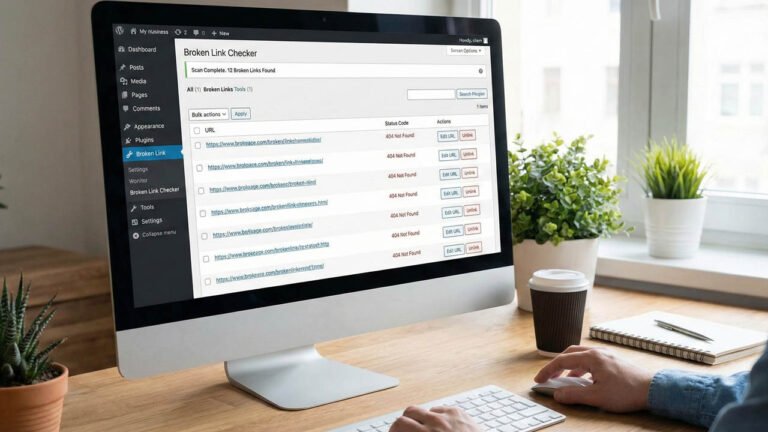
Have you ever wondered how many broken links are hiding on your website? When a visitor clicks a link and sees a “404 Page Not Found” error, they get frustrated and leave. This not only damages your website’s reputation but also hurts your Google rankings. The solution? Dead Link Checker – a simple yet powerful WordPress plugin that automatically scans your entire website and finds all broken links in minutes.
Table of Contents
What is Dead Link Checker?
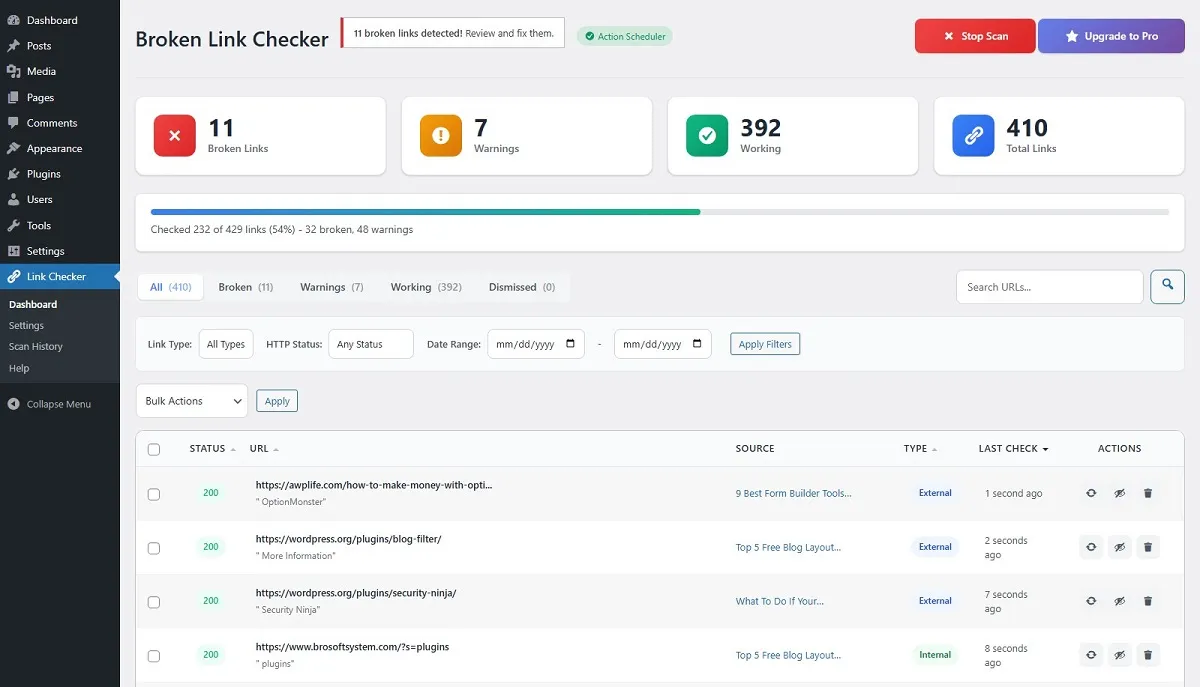
Dead Link Checker is a free WordPress plugin that scans all your pages and posts to identify broken links (dead links). The plugin works quietly in the background and displays all information in a beautiful, easy-to-understand dashboard.
Key Highlights:
- One-Click Scanning – Just click “Scan Now,” and the plugin does the rest
- Fast & Lightweight – Won’t slow down your website
- Modern Dashboard – Beautiful and user-friendly interface
- 100% Privacy – Your data stays on your server
How to Install and Use the Plugin
Step 1: Install the Plugin
1. Go to your WordPress Dashboard
2. Navigate to Plugins > Add New
3. Search for “Dead Link Checker”
4. Click Install Now and then Activate
Step 2: Run Your First Scan
1. Click on Link Checker in the left sidebar
2. You’ll see the Dashboard with a “Scan Now” button
3. Click the button, and the plugin will start scanning your entire site
Step 3: Review Results and Fix Issues
After the scan completes, you’ll see:
1. Broken Links – Links that don’t work (404 errors)
2. Warnings – Links with potential issues (redirects, timeouts)
3. Working Links – Links that work perfectly fine
Complete Guide to the Plugin Dashboard
The Dead Link Checker dashboard is simple and intuitive. Let’s explore each section in detail:
1. Statistics Cards (Top Section)
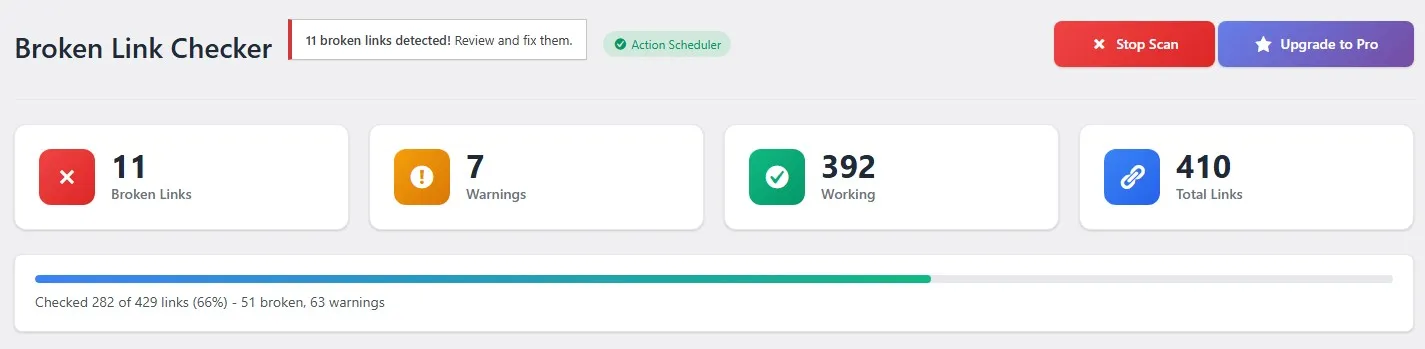
When you open the dashboard, you’ll see 4 cards:
– Broken Links – Total number of broken links
– Warnings – Links with potential issues
– Working – Links that work correctly
– Total Links – Total number of links on your site
2. Filter Options
You can filter links by:
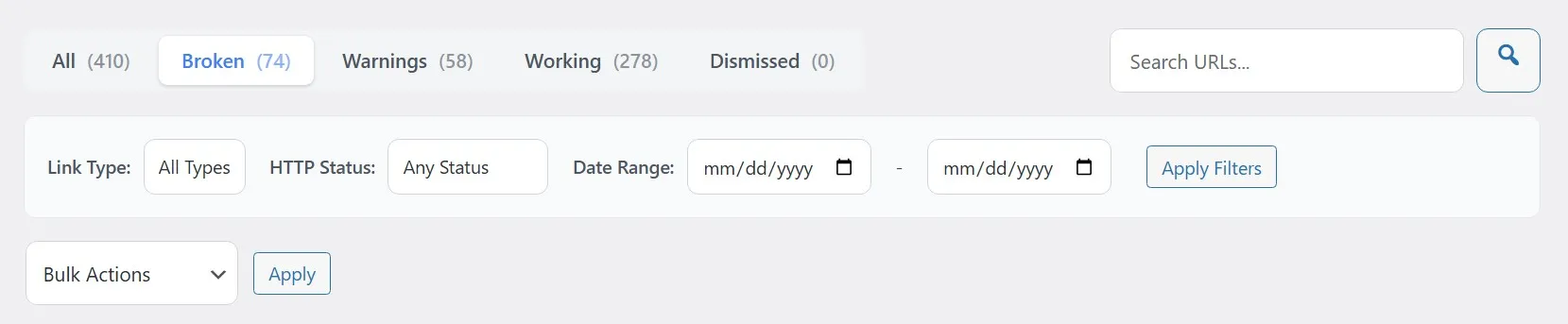
– Link Type – Internal (your own site) or External (other websites)
– HTTP Status – Specific error codes (404, 500, etc.)
– Date Range – View links from a specific time period
3. Bulk Actions
Take action on multiple links at once:
– Recheck – Verify selected links again
– Dismiss – Ignore false positive links
– Restore – Bring back dismissed links
– Delete – Remove links from the database
4. Link Table
For each link, you can see:
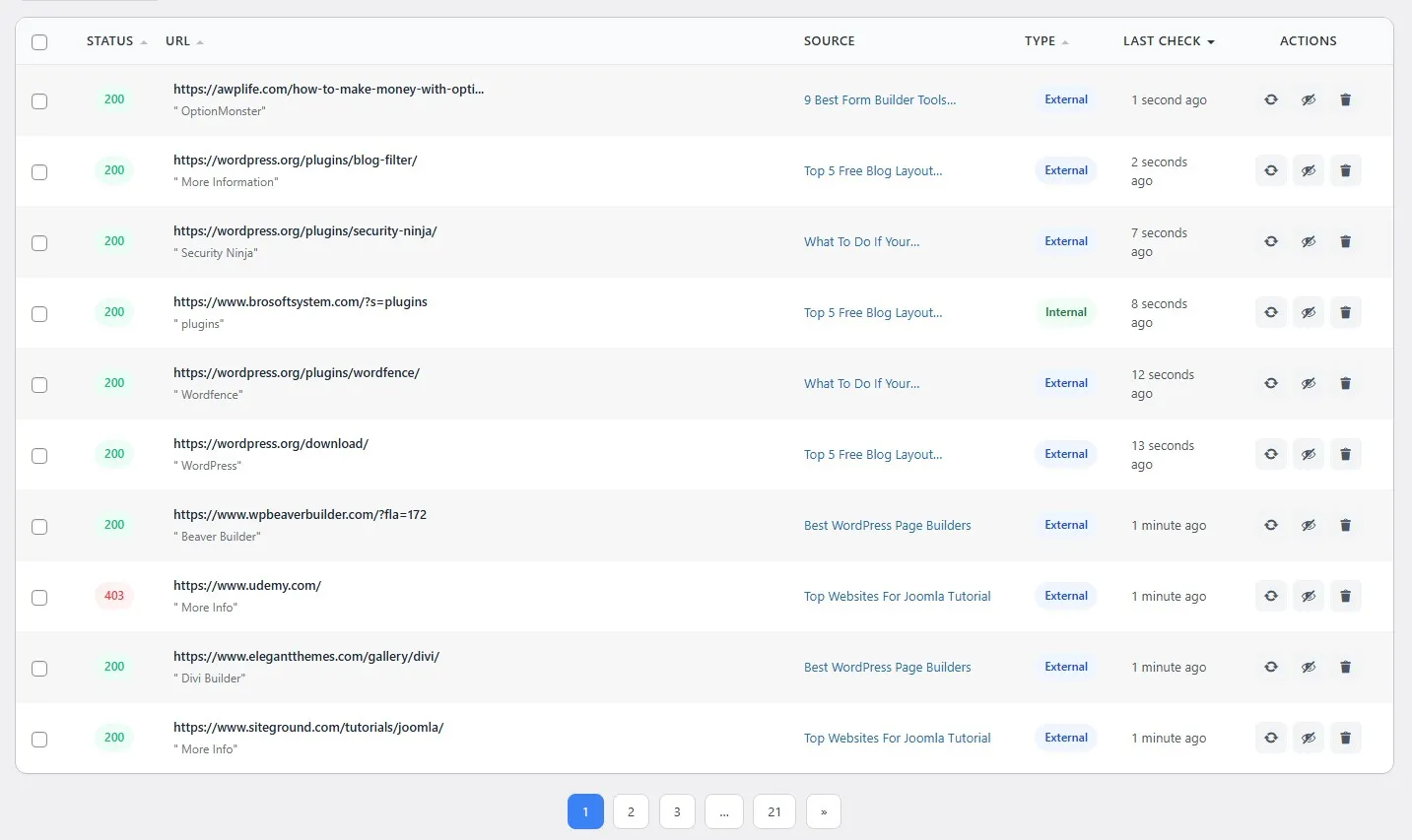
– URL – The link address
– Source – Which page/post contains this link
– Status – Working, Broken, or Warning
– Type – Internal, External, or Image
– Last Check – When it was last checked
Complete Guide to Settings Page
The Settings page lets you customize the plugin according to your needs:
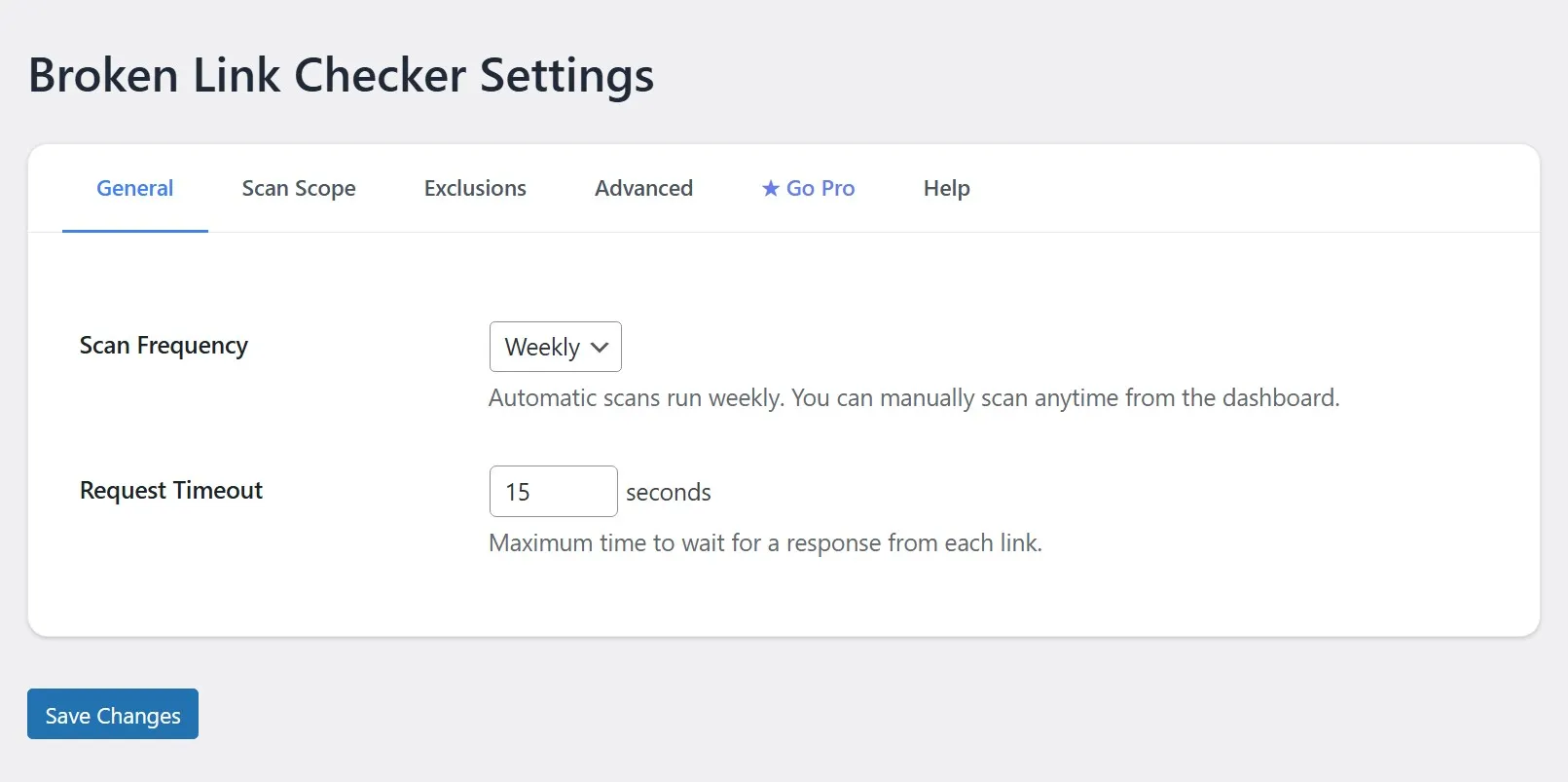
General Settings
Scan Frequency
– Plugin automatically runs weekly scans
– You can manually scan anytime from the Dashboard
Request Timeout
– Decides how long the plugin waits for a link response
– Default: 15 seconds
– Increase for slow websites
Scan Scope
Content to Scan
– Posts – Your blog posts will be scanned
– Pages – Your pages will be scanned
Link Types
– Internal Links – Links to your own website
– External Links – Links to other websites
Exclusions
Excluded Domains
– Exclude specific domains from scanning
– Example: If a domain always times out, exclude it
– Free version allows up to 3 domains
Advanced Settings
Concurrent Requests
– How many links to check simultaneously
– Default: 2 (recommended)
– Higher values may increase server load
User Agent
– The browser identity the plugin uses to check links
– Default setting works fine, no need to change
Verify SSL Certificates
– Verify HTTPS link SSL certificates
– Recommended to keep enabled
Scan History Feature
The plugin saves your last 5 scan histories. Here you can see:
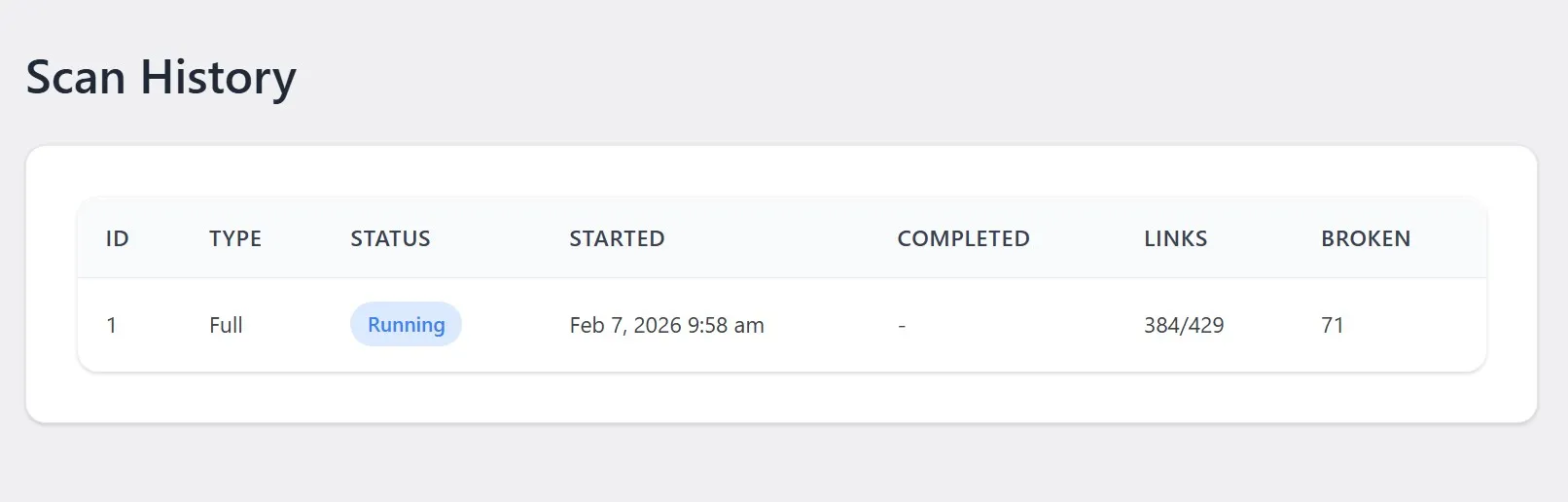
– When the scan was performed
– How many links were checked
– How many broken, warnings, and working links were found
This feature helps you track whether your site’s health is improving over time.
Dead Link Checker vs Other Plugins – Honest Comparison
There are several link-checker plugins on the market, such as Broken Link Checker and Link Checker. So why choose Dead Link Checker?
| Feature | Dead Link Checker | Other Plugins |
|---|---|---|
| Interface | Modern, Clean UI | Outdated, Complex |
| Speed | Fast, Background Processing | Often Slow |
| Server Load | Minimal | Can be Heavy |
| Ease of Use | One-Click Scan | Multiple Steps |
| Learing Curve | Zero | Moderate to High |
| Gutenberg Support | Full Support | Limited/None |
| Privacy | 100% Local | Cloud or Some Send Data |
| Support | 24Hrs Maximum | Depends on plan |
Why Dead Link Checker is Better?
1. Simple One-Click Operation
– No complicated settings
– Click “Scan Now,” and you’re done
2. Modern Design
– Built with 2024 UI standards
– Mobile-friendly admin dashboard
3. Background Processing
– Scan runs in the background
– Continue your work without interruption
4. No Server Overload
– Intelligent rate limiting
– Your server won’t slow down
5. Privacy First
– Your data never leaves your server
– Everything is stored in your database
6. Gutenberg Ready
– Fully supports the Block Editor
– Detects links in all block types
Why You Should Use Dead Link Checker
1. Improves SEO
Google considers broken links as a negative signal. Fewer broken links mean better rankings.
2. Better User Experience
Visitors don’t like seeing 404 errors. Fixing broken links reduces bounce rate.
3. Professional Image
A website where all links work looks trustworthy and professional.
4. Saves Time
Manually checking every page takes hours. The plugin scans your entire site in minutes.
5. It’s Free
Core features are completely free. For small websites, the free version is more than enough.
What’s Extra in the Pro Version?
If you have a large website or need advanced features, the Pro version includes:
Additional Scanning
– Custom Post Types (Products, Portfolio, etc.)
– Navigation Menus
– Widgets
– Comments
– Custom Fields / ACF
Page Builder Support
– Elementor
– Divi Builder
– WPBakery Page Builder
Advanced Features
– Direct link editing (without opening posts)
– Create 301/302/307 Redirects
– CSV/JSON Export
– Email Notifications
– Unlimited domain exclusions
– Daily/Hourly scanning
– Priority Support
NOTE: The Deal Link Checker Pro version will be available soon, in the Premium Plugins section of the site.
Frequently Asked Questions
Q: How long does a scan take?
A: Depends on website size. Small sites complete in seconds, larger sites (100+ pages) may take a few minutes.
Q: Will my website slow down?
A: Absolutely not! The plugin only works in the admin area and runs in the background. Zero impact on frontend.
Q: Does it work with Gutenberg?
A: Yes! Fully supports the Block Editor and detects links in all block types.
Q: Is my data safe?
A: 100% safe. All data is stored in your WordPress database. Nothing is sent to external servers.
Q: Is there automatic scanning?
A: Yes, weekly automatic scans. Plus, you can manually scan anytime.
Q: Does the plugin support WordPress Multisite Network?
A: Yes, the Pro supports WordPress Multisite Network installation.
Quick Start Guide (Step-by-Step)
1. Install Plugin → Plugins > Add New > Search “Dead Link Checker” > Install > Activate
2. Go to Dashboard → Left Menu > Link Checker
3. Start Scan → Click the “Scan Now” button
4. Wait for Results → Scan runs in the background
5. Review Broken Links → Broken links shown in red
6. Take Action → Go to the source and fix the link, or Dismiss it
7. Regular Scans → Automatic weekly scans keep your site healthy
Conclusion
Dead Link Checker is a must-have plugin for every WordPress website owner. Whether you have a small blog or a large business website, broken links hurt your SEO ranking and user experience.
The best thing about this plugin is its simplicity. No complicated configurations, no technical knowledge required. Just install, click “Scan Now”, and fix broken links.
Install today and make your website healthy!
