
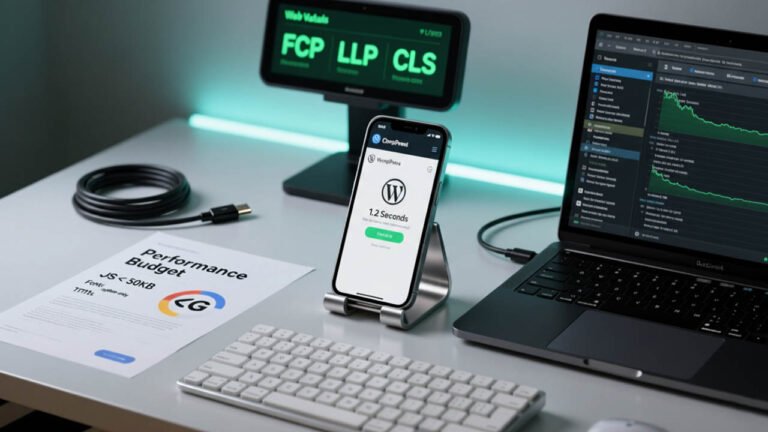
The digital landscape is rapidly changing, and nowhere is this more evident than in the world’s emerging markets. Millions are coming online for the first time, not on high-end desktops, but on budget-friendly smartphones with limited storage, less powerful processors, and, critically, often relying on slow, unreliable, or expensive mobile data connections.
Table of Contents
For businesses and content creators leveraging the power of WordPress, understanding this unique user context is not just a matter of good design—it’s the key to accessibility, engagement, and market penetration.
Designing a robust, functional, and delightful User Experience (UX) for these low-end devices in emerging markets requires a fundamental shift in perspective. It means moving beyond the assumption of high-speed fiber and powerful hardware and embracing a philosophy of extreme efficiency, or “lightweight UX.” The core challenge is simple: delivering the maximum value with the minimum possible digital footprint.
The Unique Realities of Emerging Market Users
To build an effective lightweight WordPress site, we must first empathize with the target user. Their reality is characterized by several key constraints that dictate their online behavior and expectations.
1. Limited Device Resources
Many users in emerging economies access the internet using entry-level smartphones. These devices typically have:
- Low RAM and CPU: Meaning they struggle with complex, script-heavy websites, leading to slow rendering, janky scrolling, and crashes.
- Minimal Storage: Users are highly conscious of app and data consumption, making them wary of sites that force large file downloads.
- Older Browser Versions: Fragmentation in the device ecosystem means a wider variety of less-optimized browser engines are in use.
2. Connectivity Challenges
The internet access itself is often the most significant bottleneck:
- High Latency and Low Bandwidth: Pages take longer to load and interact with. This amplifies the negative impact of every extra kilobyte of data.
- Expensive Data: In many regions, mobile data is costly. Users will actively leave a site that consumes their data allowance too quickly, making data efficiency a critical UX feature.
- Intermittent Connection: The user may switch between 4G, 3G, or even 2G, or lose connectivity altogether. A truly resilient site must account for these disconnections.
3. User Behavior and Digital Literacy
Beyond technical constraints, cultural and behavioral factors play a role:
- Task-Oriented Browsing: Users often have a specific goal (e.g., check a price, find contact information) and are less likely to browse casually. They need information now.
- Visual Simplicity Preference: Overly complex, cluttered interfaces can be overwhelming for users new to the digital space. Clarity and prominent calls-to-action are paramount.
Phase 1: The WordPress Foundation – Building the Ultra-Lean Base
The lightweight philosophy must begin at the platform level. WordPress is flexible, but it can be notoriously bloated if not configured with care.
Choosing an Ultra-Lightweight Theme
The theme is the foundation of the front-end performance. Complex, multi-purpose themes that are packed with features and heavy CSS frameworks are the enemy of lightweight UX.
- Opt for “Naked” or Framework-Level Themes: Themes like Astra, GeneratePress, and Neve are built for speed. They have a tiny default footprint (often under 50KB) and load less than a second on clean installs. They are modular, allowing developers to only load the features they actually need.
- Avoid Page Builders (If Possible): While drag-and-drop builders like Elementor or Divi offer visual convenience, they often inject massive amounts of unnecessary CSS and JavaScript, significantly slowing down the render time. If a builder is non-negotiable, opt for the one that offers the best performance optimization features and minimal overhead. For simple sites, the native Gutenberg block editor is a far leaner alternative.
Auditing and Trimming Plugins
Every single plugin adds execution time and files to load. The goal is a minimalist plugin ecosystem.
- Minimize the Count: Install only the absolutely essential plugins. If a feature can be achieved with a few lines of custom code or a Gutenberg block, skip the plugin.
- Scrutinize Load Weight: Some plugins are heavier than others. Before installing a new one, check reviews for speed impact and run a test on a staging site. Deactivate and delete all unused plugins.
- The Trinity of Speed Plugins: A powerful, minimal setup should include:
- Caching: A reliable caching plugin (like WP Rocket, LiteSpeed Cache, or W3 Total Cache) is non-negotiable for serving pre-rendered static HTML to low-end devices.
- Image Optimization: A plugin for lazy loading and converting images to modern formats (like WebP).
- Minification/Compression: A tool to combine and minify CSS and JavaScript files to reduce HTTP requests.
Phase 2: Lightweight UX Design Principles
Once the technical foundation is lean, the design itself must follow principles optimized for constraint. This is where the human-centric focus on emerging market users comes into play.
1. The Mobile-Only Mindset
For many emerging markets, desktop usage is negligible. The design must be mobile-first, not just responsive.
- Extreme Simplicity in Navigation: Ditch complex mega-menus. Use a clean, universally recognized Hamburger Menu and focus on Shallow Information Architecture (IA). Users should be able to reach core content in two to three taps.
- Large, Accessible Touch Targets: Low-end screens may have less precise touch registration. All interactive elements (buttons, links) must be large and have ample spacing, adhering to standard minimum touch target sizes (e.g., 44×44 CSS pixels).
- Prioritize Above-the-Fold: Due to high latency, the content that loads first (Above-the-Fold) is the only content guaranteed to be seen quickly. Put your most valuable content and primary Call-to-Action (CTA) here.
2. Data and Media Optimization
Data conservation is a core feature for the end-user.
- Aggressive Image Optimization:
- Format: Use WebP format exclusively. It offers superior compression to JPEG and PNG.
- Compression: Lossy compression must be aggressive, aiming for a quality level that maintains readability but reduces file size to the bare minimum.
- Lazy Loading: Implement true lazy loading for all images and videos so they only load when they are about to enter the viewport.
- Minimal Font Usage: Custom fonts are heavy. Use a single, system-default font stack for a clean, fast experience, or limit custom fonts to one weight only. If a custom font is essential, ensure it is served using
font-display: swap;to prevent text from being invisible while the font loads (FOIT – Flash of Invisible Text). - Avoid Non-Critical Video & Animation: High-resolution videos and complex JavaScript animations are data and processor hogs. They are a luxury that emerging market UX cannot afford. If video is essential, embed low-resolution versions and use a placeholder image to prevent the full video player from loading until the user explicitly taps “play.”
3. Resilient Interaction and Feedback
In an environment of unstable connections, users need reassurance that the site is working, even when the network is not.
- Skeleton Screens and Placeholders: Instead of blank screens, use skeleton loading screens (grayscale wireframes of the content structure) to visually signal that content is coming. This perception of speed is a crucial UX factor.
- Offline Functionality (PWA): Consider implementing a Progressive Web App (PWA) layer. Tools like WordPress’s own PWA plugin or specialized solutions can cache core pages, allowing users to browse essential content even when their connection drops out.
- Clear System Feedback: Any user action (e.g., submitting a form, tapping a button) must result in an immediate visual change (e.g., a button state changing, a progress bar appearing) to confirm the action was registered, even if the network request is still pending.
Phase 3: Technical Deployment and Monitoring
The work continues on the server side to maximize delivery efficiency.
Leveraging a Content Delivery Network (CDN)
A CDN is a must for geographically dispersed emerging markets. By caching static files (images, CSS, JS) on servers closer to the user, a CDN dramatically reduces latency and Time to First Byte (TTFB), making the site feel much faster.
Code Minification and Combining
This is the process of removing unnecessary characters (whitespace, comments) from code and combining multiple CSS and JavaScript files into one. This reduces file size and, critically, minimizes the total number of round-trip network requests a low-speed connection has to make.
Utilizing Server Compression
Ensure your server is configured to use Gzip or the more modern Brotli compression algorithms. These compress HTML, CSS, and JavaScript files before they are sent over the network, drastically reducing the data payload.
Conclusion: The Mandate of Digital Inclusion
Designing for low-end devices and emerging markets is more than a technical exercise in optimization; it is a mandate for digital inclusion. A lightweight WordPress UX removes the invisible barrier of slow loading times and expensive data that locks out a significant portion of the global population.
By prioritizing an ultra-lean foundation, adopting a mobile-only mindset, aggressively optimizing media, and designing for network resilience, developers can transform a heavy, frustrating website into a fast, data-efficient, and truly accessible user experience. For any entity serious about reaching the next billion online users, embracing this lightweight philosophy is the only sustainable path to success. The most compelling WordPress UX in the future will be the one that is practically invisible in its efficiency.
