

If you run a business in the digital age, you already know the harsh reality: your marketing copy can be persuasive, your design can be award-winning, and your product can be revolutionary—but none of it matters as much as what a stranger says about you on the internet.
Table of Contents
Reviews are the digital currency of 2026. They are the single most critical factor in bridging the “trust gap” between a visitor landing on your site and actually pulling out their credit card. Yet, for most business owners, getting those reviews feels like pulling teeth. You know you have happy customers, but they stay silent, while the few unhappy ones seem to have all the time in the world to type out a complaint.
The secret to flipping this dynamic isn’t about nagging your customers; it’s about understanding human behavior and removing the friction that stops them from advocating for you. Here is how to build a review-generating machine that works on autopilot.
1. Strike While the Iron is Hot (The “Thank You” Page Strategy)
The biggest mistake businesses make is asking for a review at the wrong moment. Most companies send a generic request weeks after a transaction, or worse, they ask before the customer has even received value.
You have to strike during the “Honeymoon Phase.” This is the specific window of time where the customer’s dopamine is highest immediately following a purchase. They have just solved a problem or treated themselves, and their sentiment toward your brand is at its peak.
How to Execute:
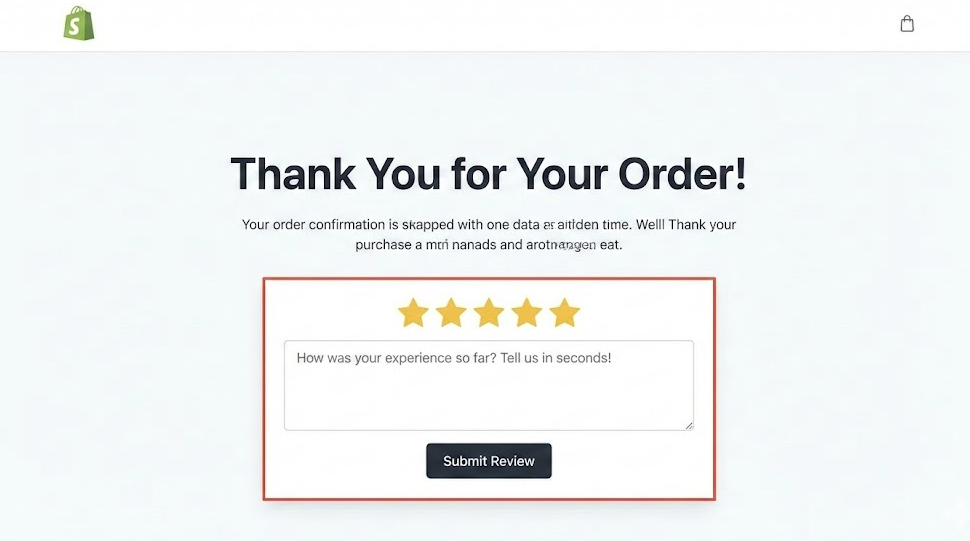
For digital products, SaaS, or immediate services, the best real estate you own is the Order Confirmation or Thank You page.
- Embed, Don’t Link: Do not send them away to a third-party site yet. Embed a simple 1-click star rating form directly on the page.
- Micro-Commitments: If they click 4 or 5 stars, then reveal a text box asking, “What did you like best?” By placing the review form right where they are already looking, you aren’t asking them to click a link in an email later; you are catching them while they are feeling good about their purchase.
Pro Tip: Use conditional logic. If a customer clicks 1 or 2 stars, direct them to a private customer support form instead of a public review platform. This allows you to solve the problem privately before it becomes a public bad review.
2. Automate the “Just Checking In” Email
For physical goods, the “Thank You” page is too early—they haven’t held the product yet. You need to time your request to land 24 to 48 hours after the package has been delivered.
This requires syncing your email marketing tools (like Klaviyo, Mailchimp, or ActiveCampaign) with your shipping provider. The trigger for the email should not be “Order Placed,” but “Status: Delivered.”
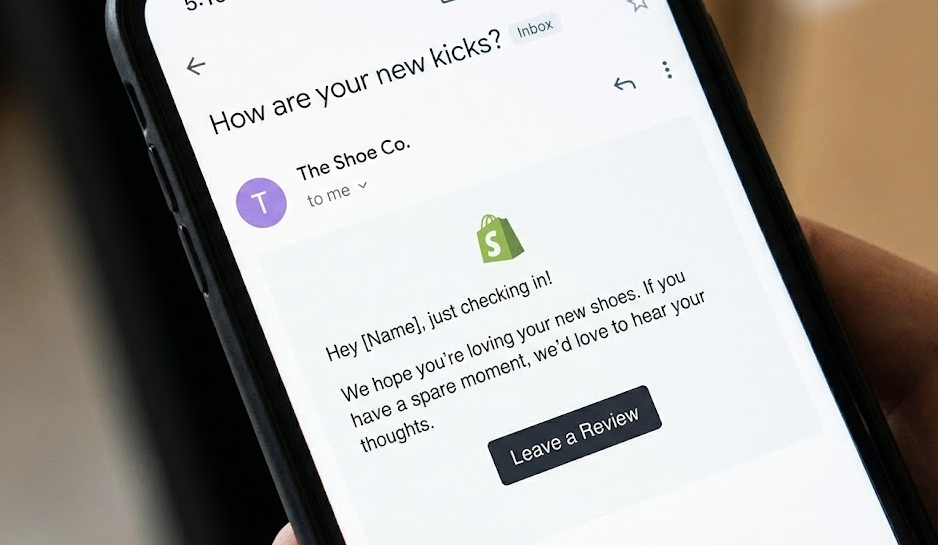
The “Non-Ask” Approach:
A friendly, non-intrusive email that focuses on their experience, rather than just asking for a favor, can be highly effective.
Subject Line: Quick question about your delivery…
- Bad Copy: “Please leave us a review here.” (Self-serving)
- Good Copy: “Hey [Name], I saw your package arrived yesterday. I just wanted to make sure it arrived safely and you’re happy with it. If you have a second, could you let us know how we did?”
This automated approach ensures every customer gets a gentle nudge at the optimal time, without any manual effort from you.
3. Remove the “Login Wall” Friction
The number one reason a happy customer doesn’t leave a review is not because they don’t want to—it’s because it’s too much work. If a customer has to find your website, log in, navigate to the product page, and click “write a review,” you have lost them. Every extra click drops your conversion rate by 50%.
The QR Code Strategy:
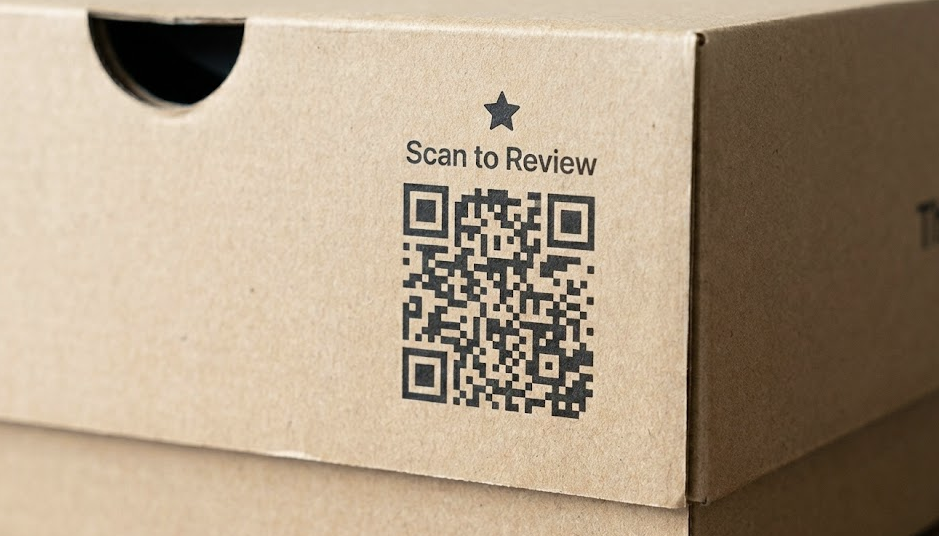
For physical products, you must bridge the gap between the physical and digital worlds. Include a card inside the box (or print directly on the packaging) with a QR code and a clear Call to Action (CTA).
- Don’t just link to your homepage. The QR code must lead directly to the specific Google Review form or the product review section.
- Deep Linking: Use “deep links” that open the specific app (like Google Maps or Yelp) on their phone rather than the mobile browser version, where they might not be logged in.
A customer can open their camera, scan the code, and be taken directly to the review page. Since most users are perpetually logged into their Google or Facebook accounts on their phones, the “Login Wall” vanishes.
4. The “Bandwagon Effect”: Showcasing Feedback
Reviews breed more reviews. It is a classic case of Social Proof.
Psychologically, nobody wants to be the first person to dance at the party. If a visitor sees a product page with zero reviews, they feel like a guinea pig. But if they see a lively feed of recent comments, they feel safe joining the conversation.
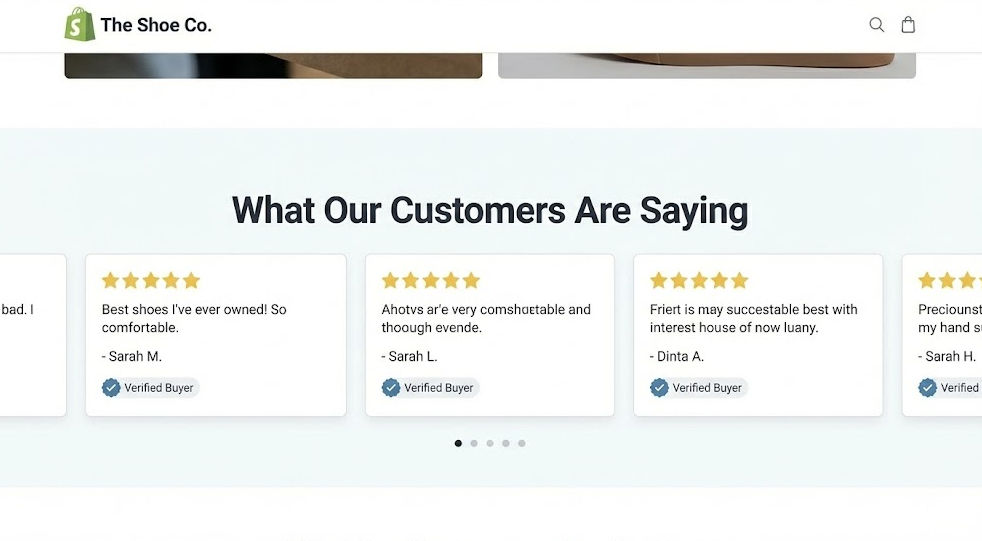
Where to Display Reviews:
Don’t bury your reviews on a dedicated “Testimonials” page that nobody visits. They need to be front and center where buying decisions happen.
- The Hero Section: Place a snippet like “Rated 4.9/5 by 500+ happy customers” right under your main headline.
- Checkout Page: This is where last-minute doubts creep in. A rotating carousel of recent reviews can reduce cart abandonment.
- Visual Proof: Encourage customers to upload photos. A review saying “The shirt fits great” is good; a photo of the customer wearing the shirt is 10x more persuasive.
Showcasing real, verified reviews not only builds trust with new visitors but also signals to existing customers that their voice will be heard and appreciated if they contribute.
5. How to Handle the Inevitable Negative Review
Finally, you need to stop fearing the 1-star rating. Paradoxically, a business with a perfect 5.0 rating looks suspicious to modern consumers. They suspect the reviews are fake or gated. A 4.7 to 4.8 rating with a few unhappy customers actually makes the positive reviews look more authentic.
However, you cannot ignore them. You must master the art of the Public Reply.
The Anatomy of a Perfect Reply:
When you get a negative review, respond publicly, politely, and quickly (ideally within 24 hours).
- Empathize: “I am so sorry to hear you had that experience.”
- Take Responsibility: Don’t make excuses, even if the customer is wrong. “This falls short of our standards.”
- Take it Offline: “Please email me directly at [owner@email.com] so I can fix this for you personally.”
Remember: You aren’t just talking to that one angry person; you are performing for the hundreds of future customers who will read that review. They are looking to see if you are a business that cares and takes responsibility, or one that gets defensive and ghosts its customers.
The Bottom Line
Generating reviews isn’t about tricking people or nagging them. It’s about integrating feedback loops into the natural lifecycle of your customer’s journey.
It requires a shift in mindset from “How do I get a review?” to “How do I make it effortless for my customer to share their joy?” By asking at the right time, making it incredibly easy to say “yes,” and showing that you value their voice, you build a culture where reviews take care of themselves.
Start implementing these systems today, and watch your digital currency—and your revenue—grow.
